
1
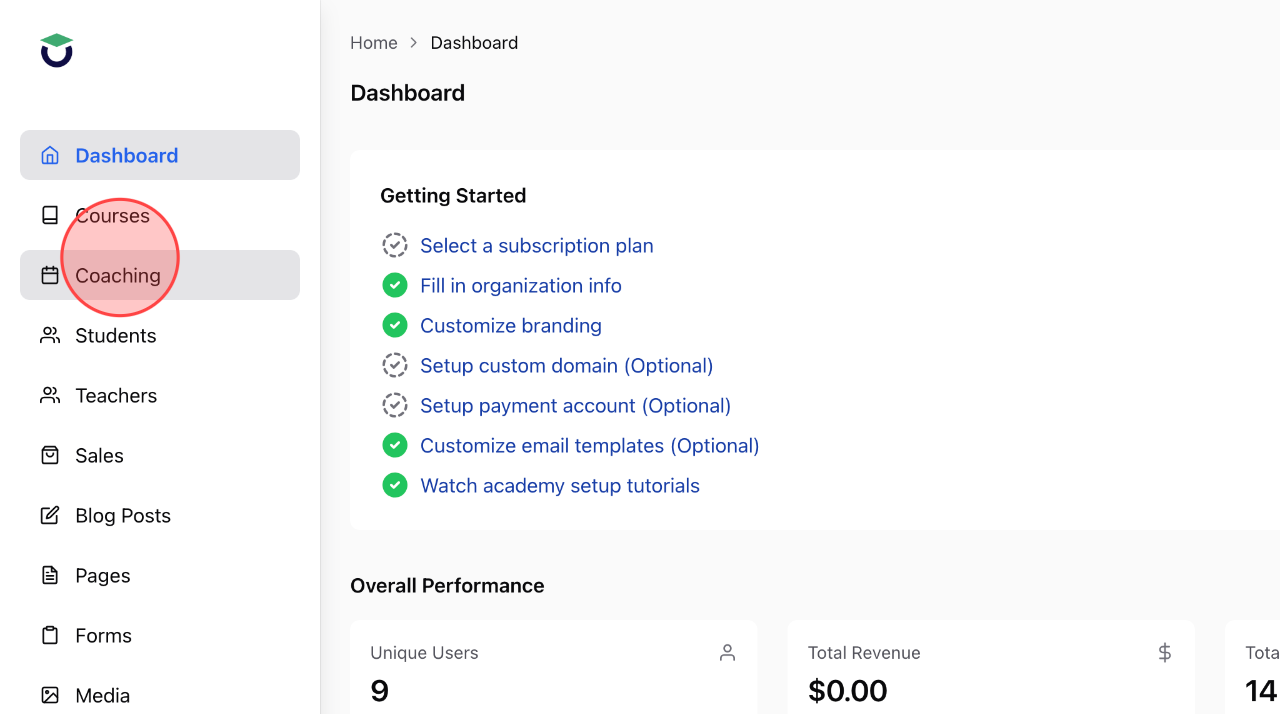
From the Admin Dasboard, click Coaching to open the coaching menu.
2
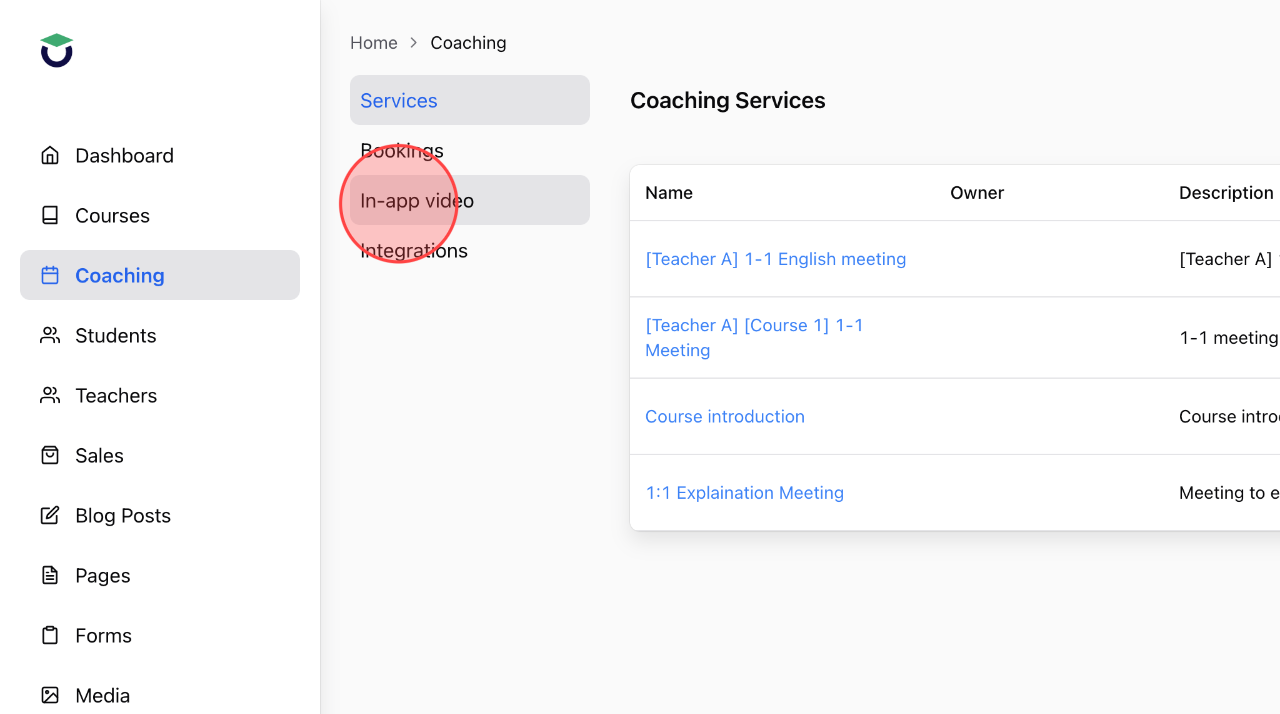
In the Coaching menu, select In-app Video to view the detailed information.
3
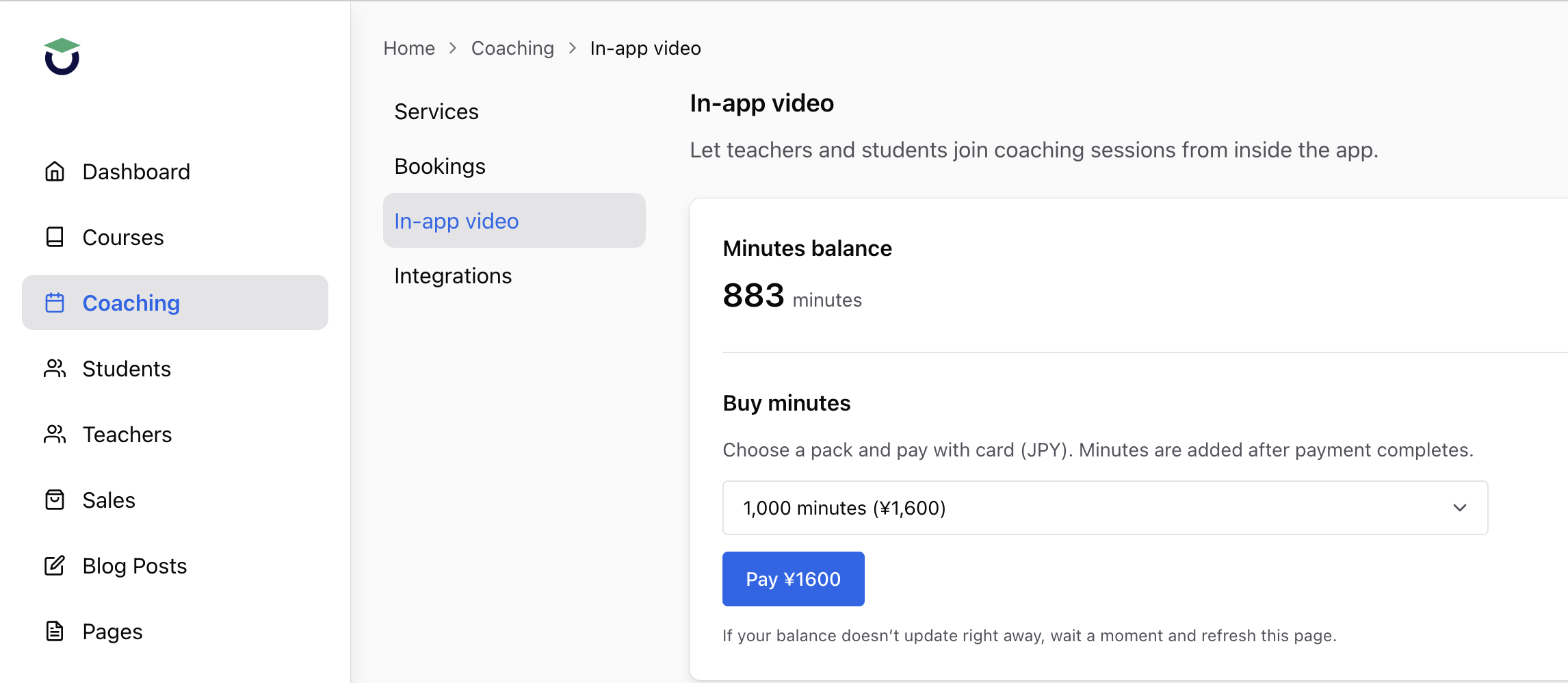
The Minutes Balance section shows the remaining minutes available in your account.
Note:
– When your minutes balance is 10 minutes or less, you will not be able to make calls using In-app Meeting.
4
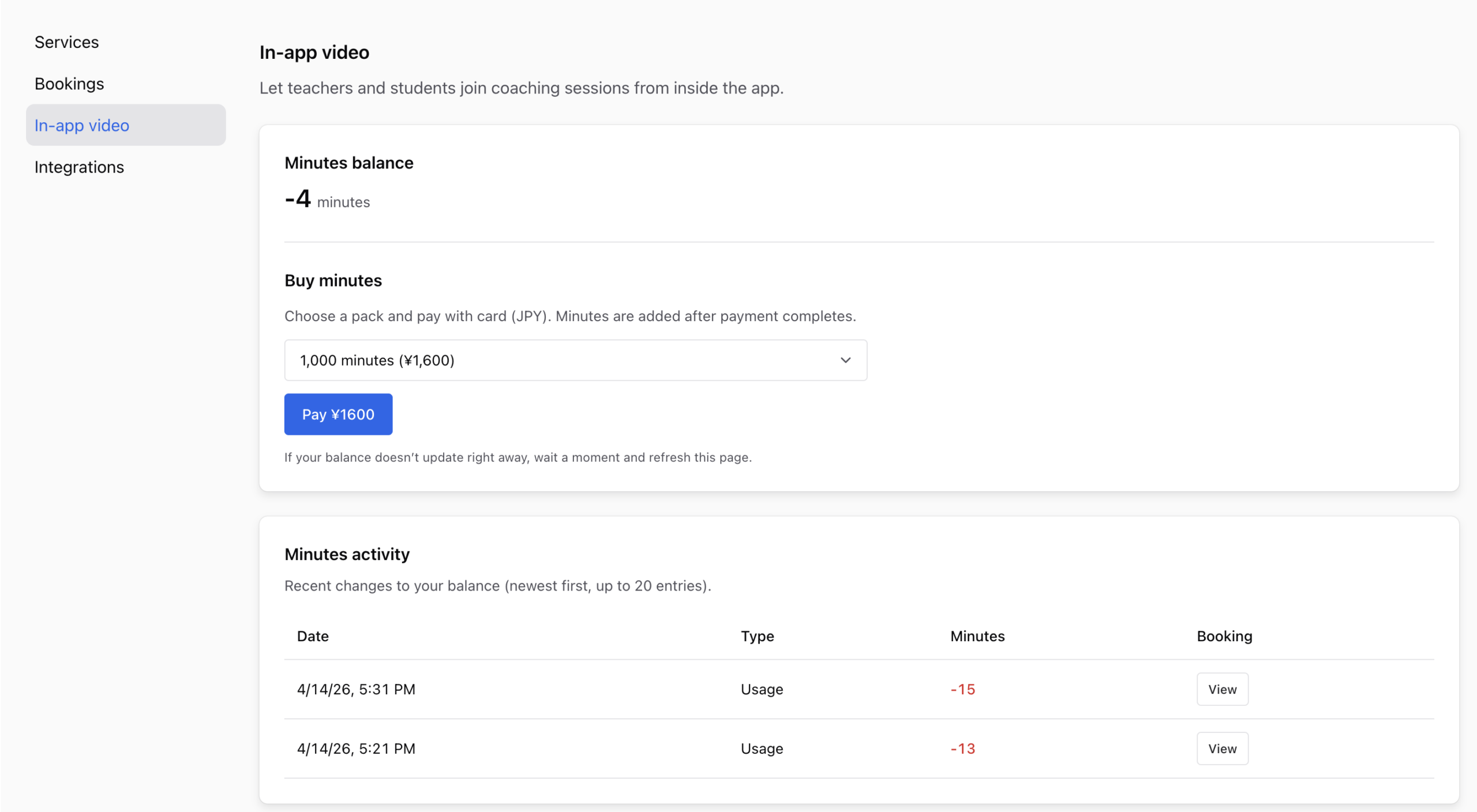
Your minutes balance may display a negative value to ensure your calls are not interrupted. The negative balance will be deducted from your next minutes pack purchase.
5
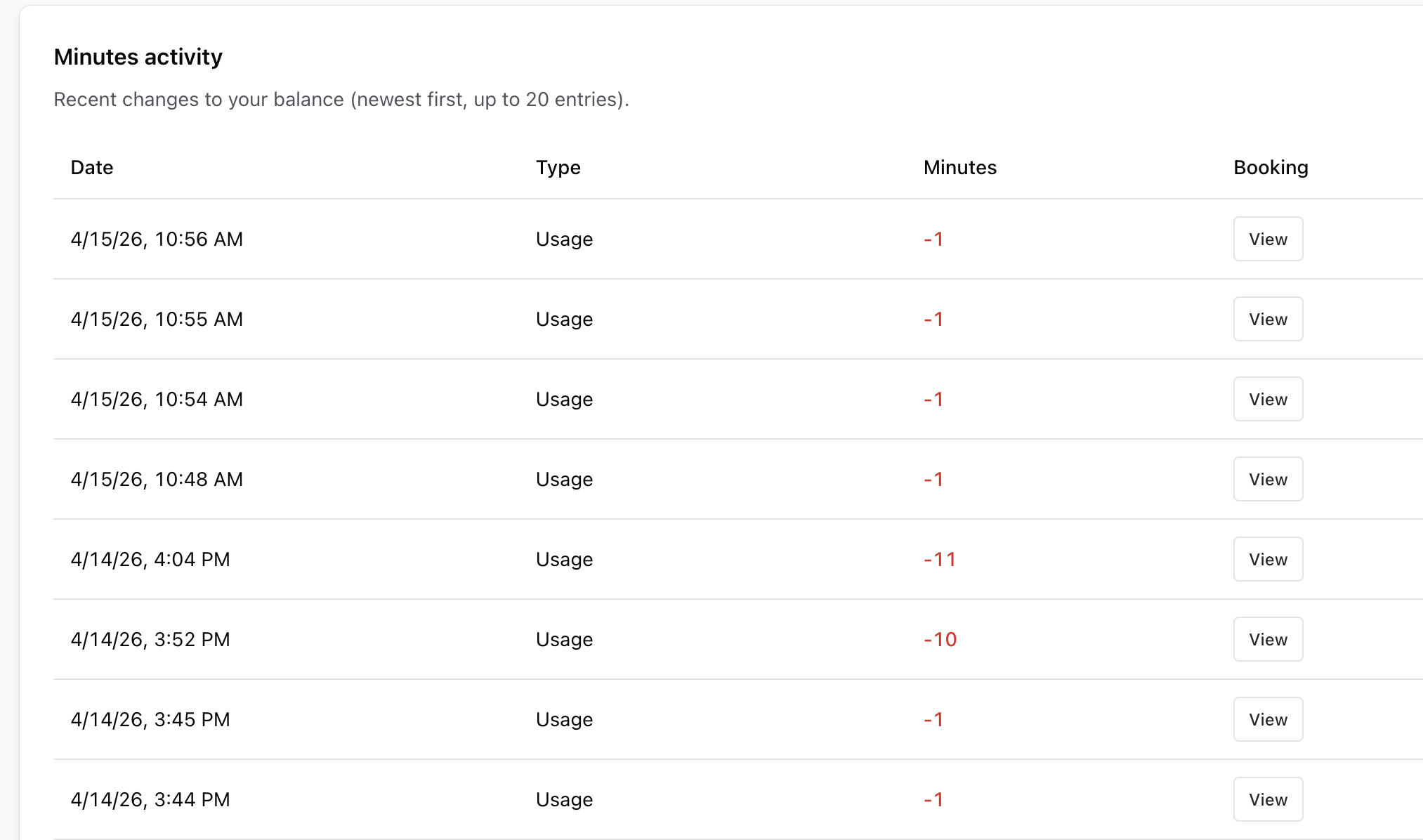
The Minutes Activity allows you to view detailed minute usage for each call.
Note:
The total minutes used for a meeting = Meeting duration × Number of participants
 English
  日本語
日本語