
1
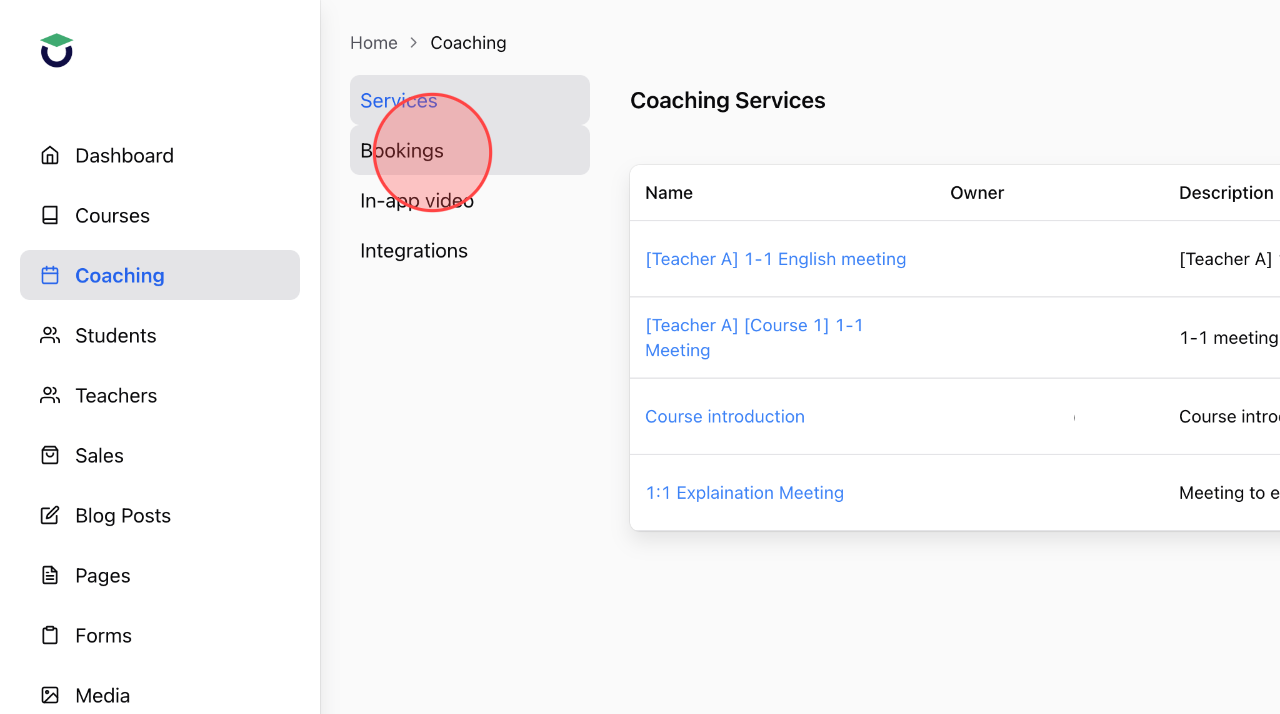
Click Bookings in the Coaching menu to open the list of all bookings.
2
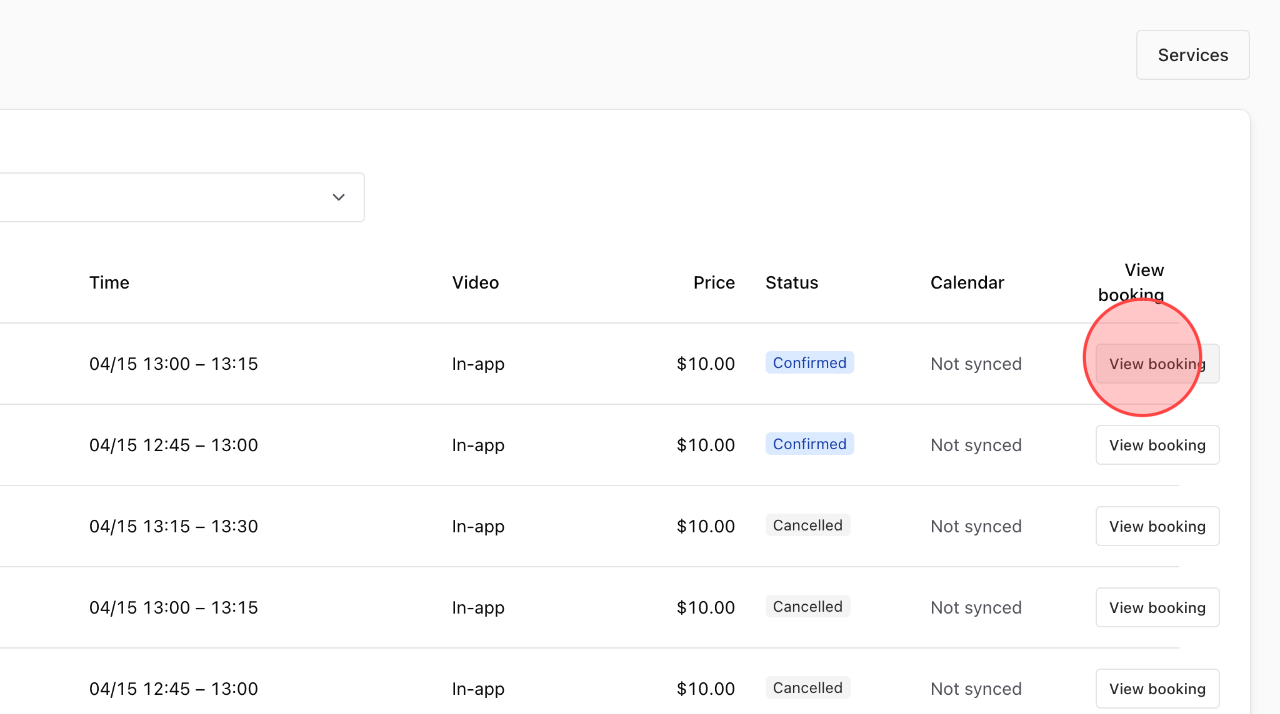
At the booking where you want to start a meeting, click View Booking to see the details.
3
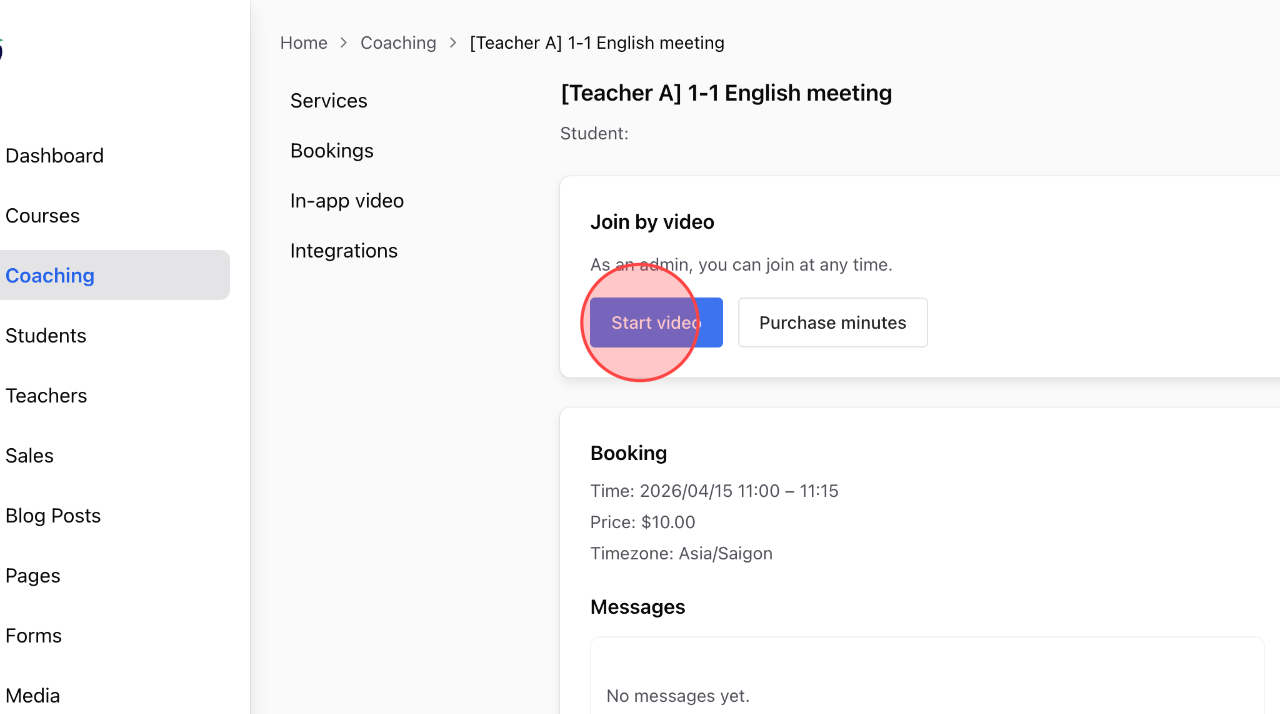
Click Start Video to begin the call.
4
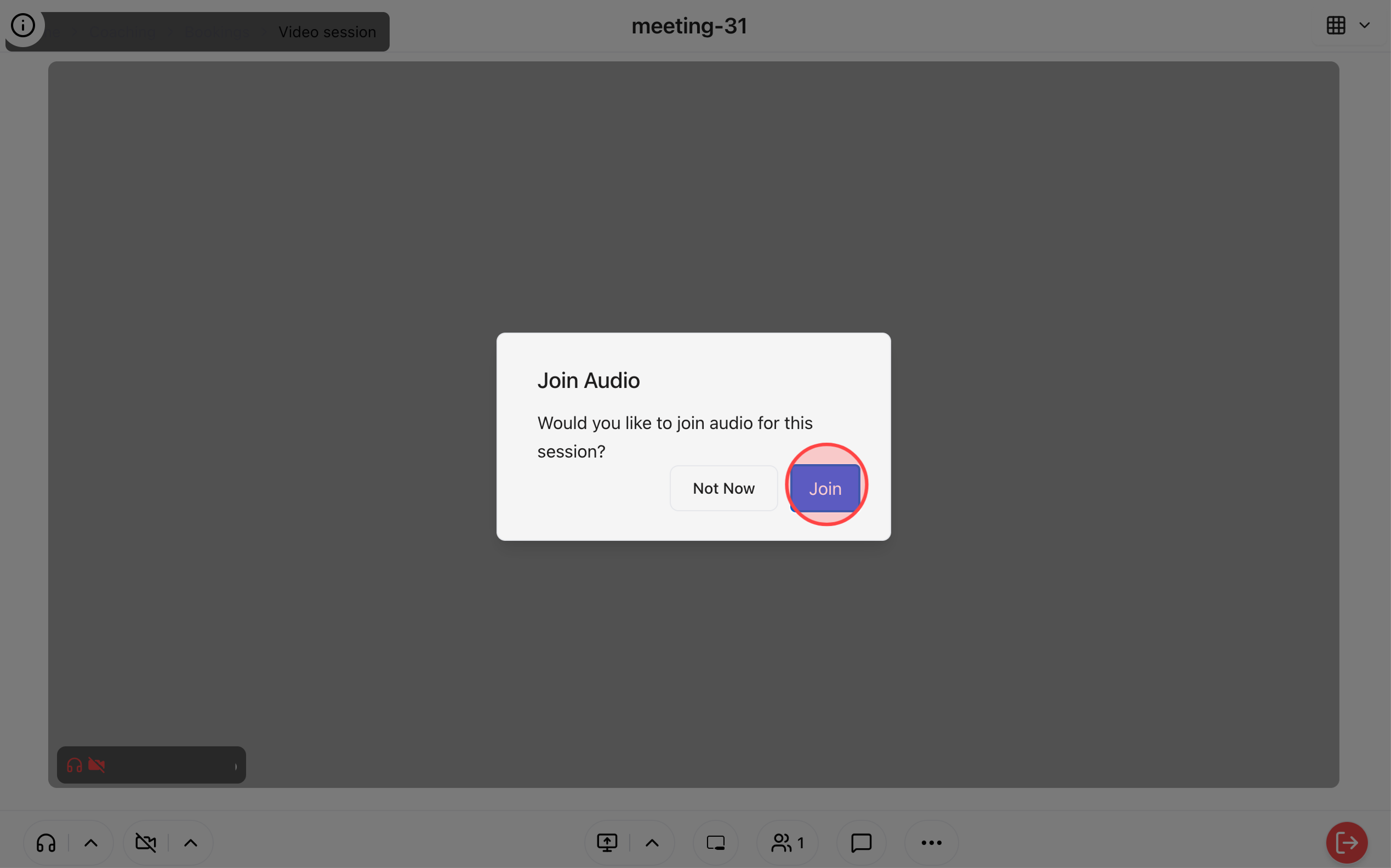
The call will open in a new browser tab. Click Join to start the meeting and wait for the student to join.
 English
  日本語
日本語