
1
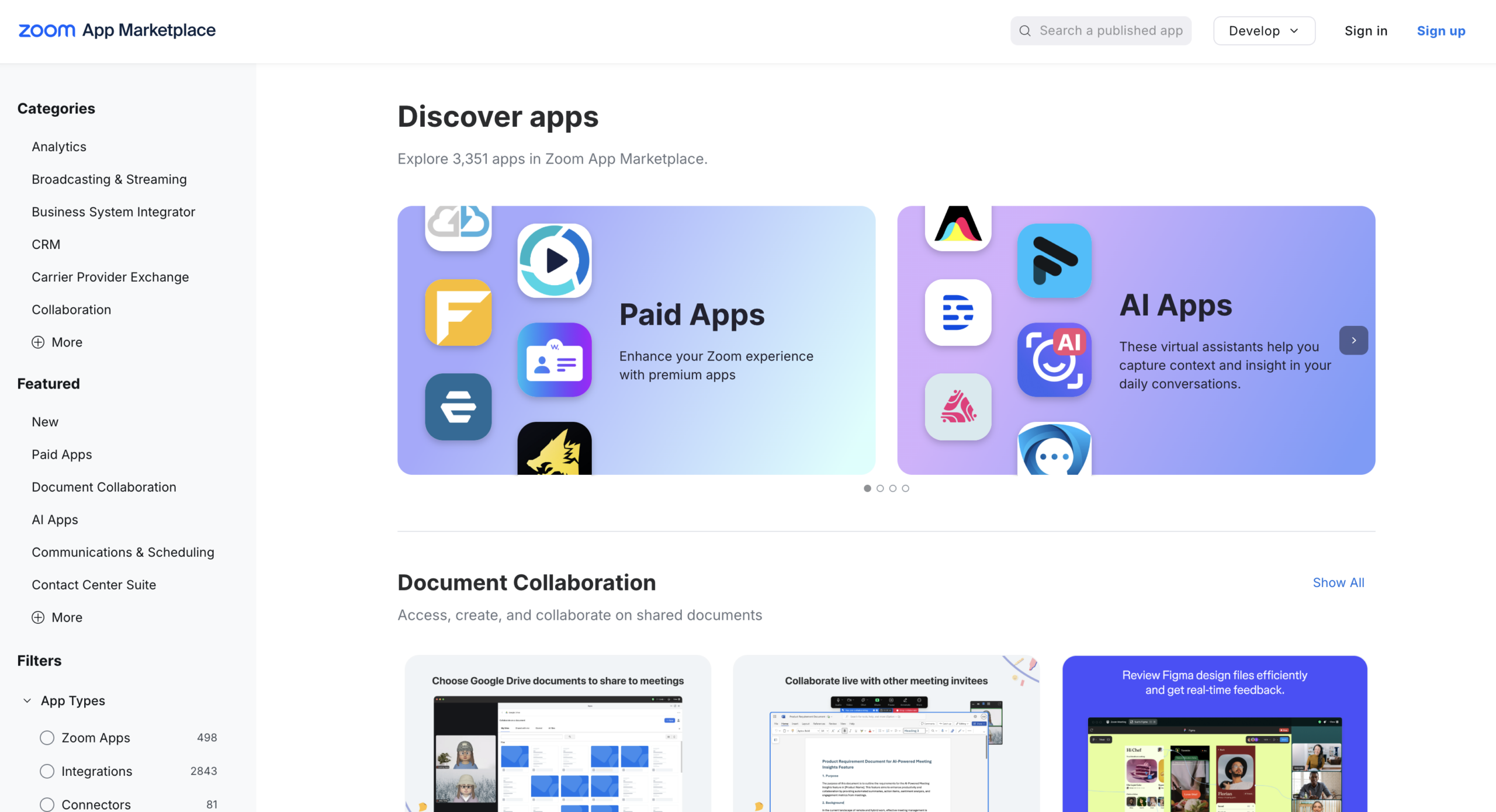
Log in to your Zoom account and navigate to the Zoom App Marketplace.
2
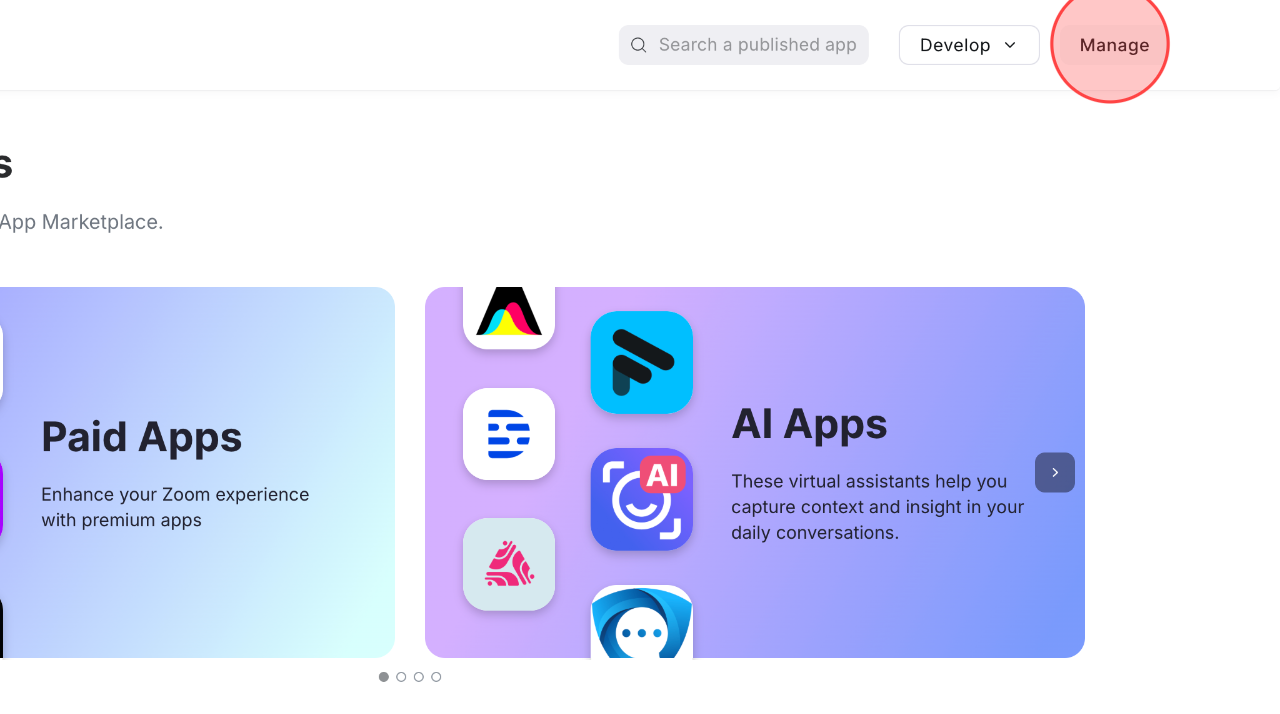
Click Manage to open the management menu.
3
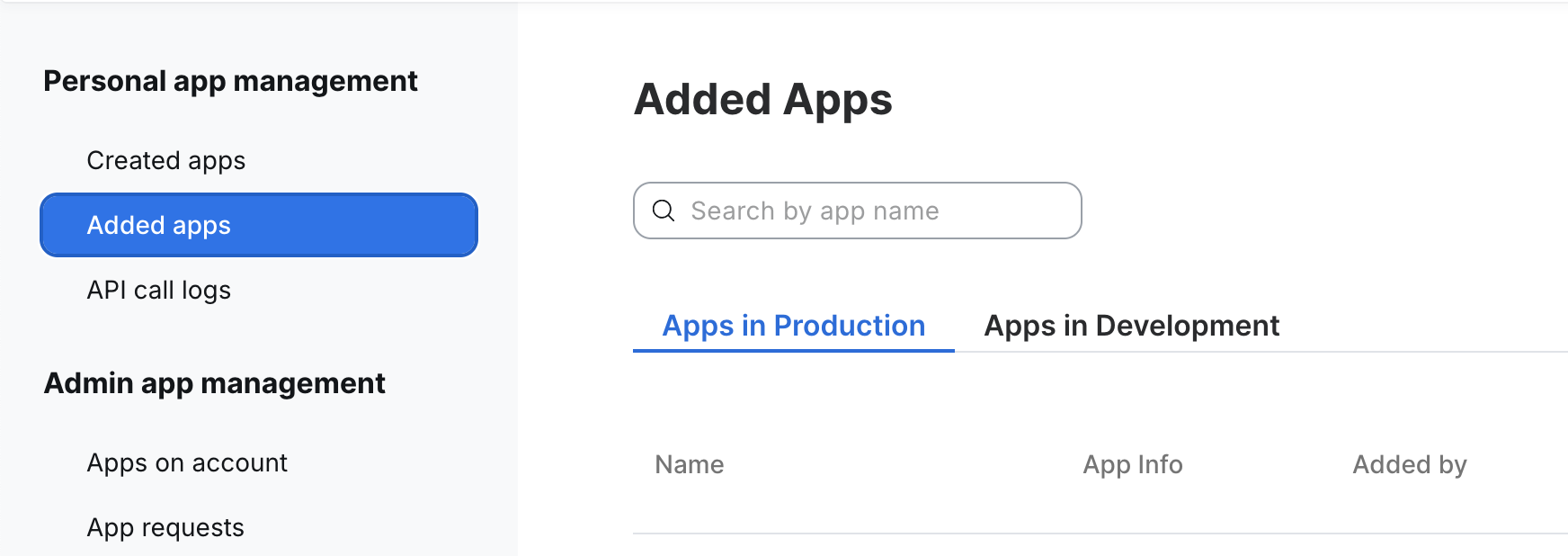
Click Added apps section.
4
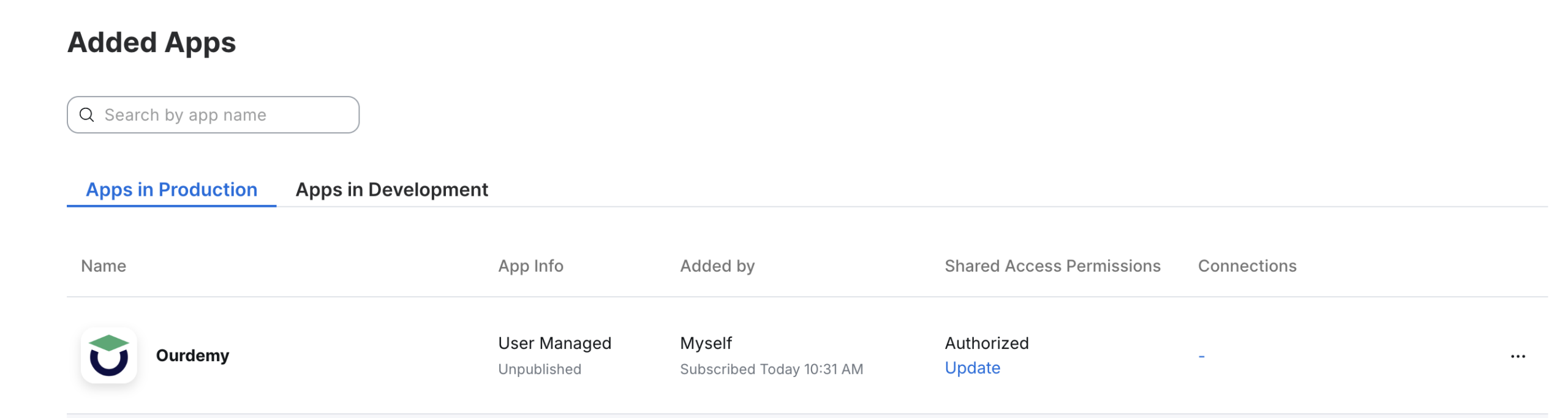
Search for the Ourdemy app in the Added apps category.
5
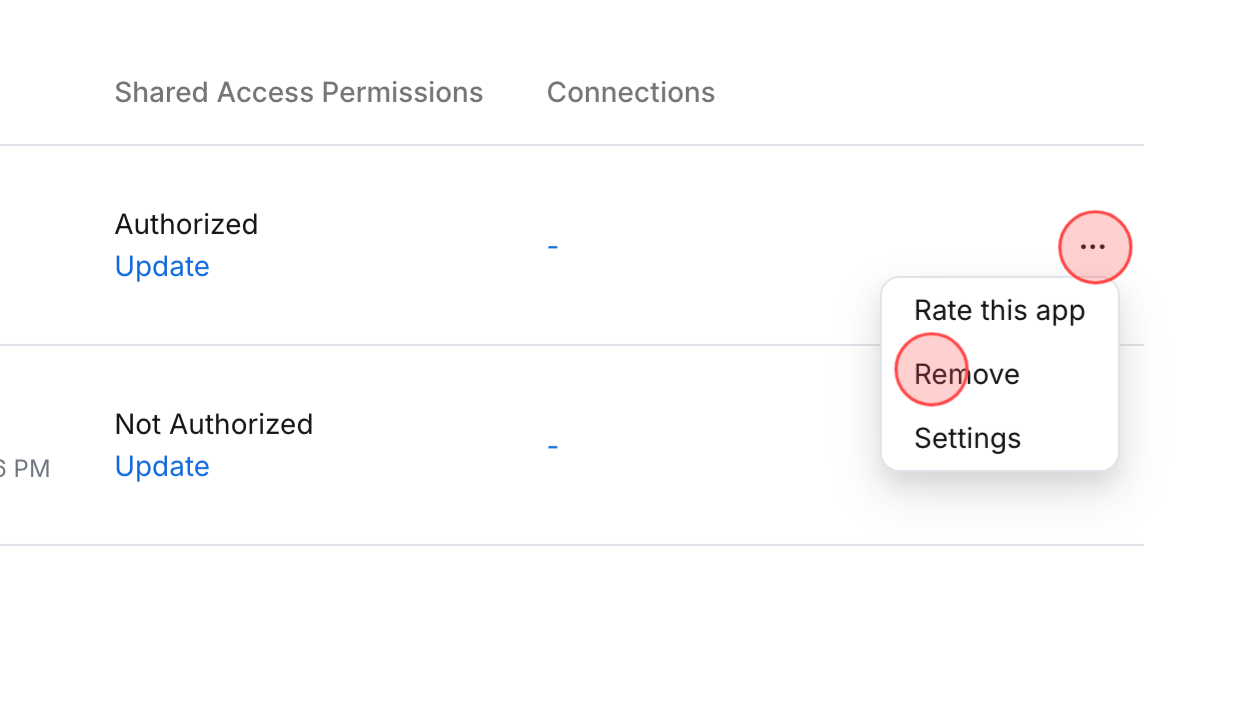
Click the … icon to display the available action options. Choose Remove to complete the process.
 English
  日本語
日本語