
1
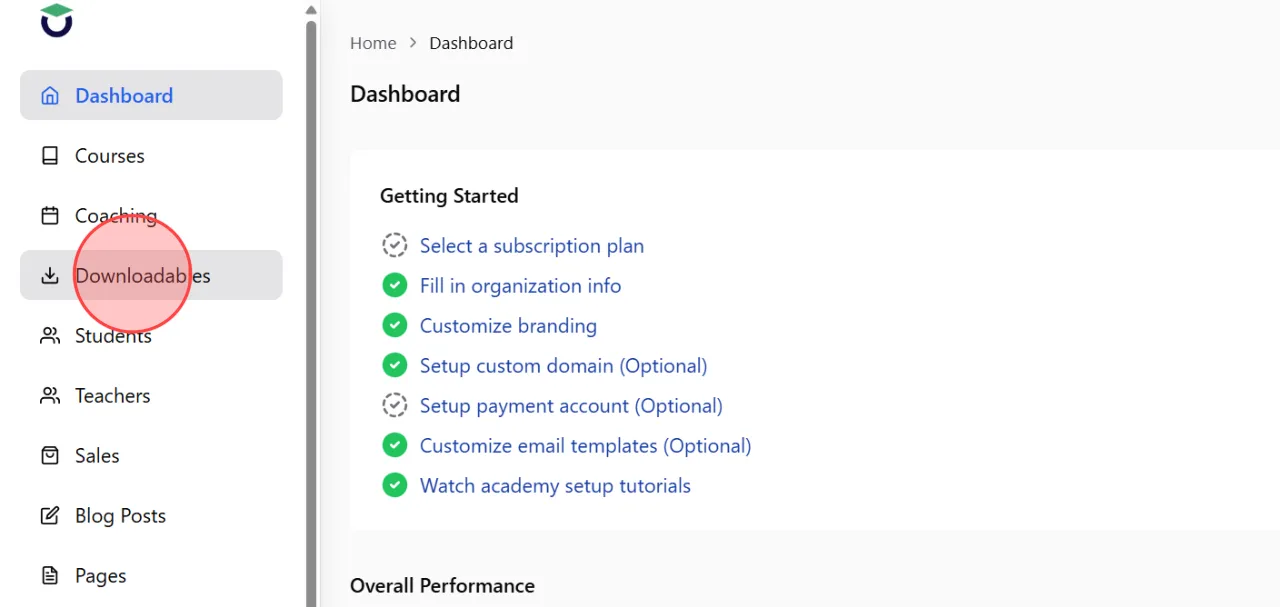
Go to the Downloadables section from the admin dashboard to access the downloadable product management page.
2
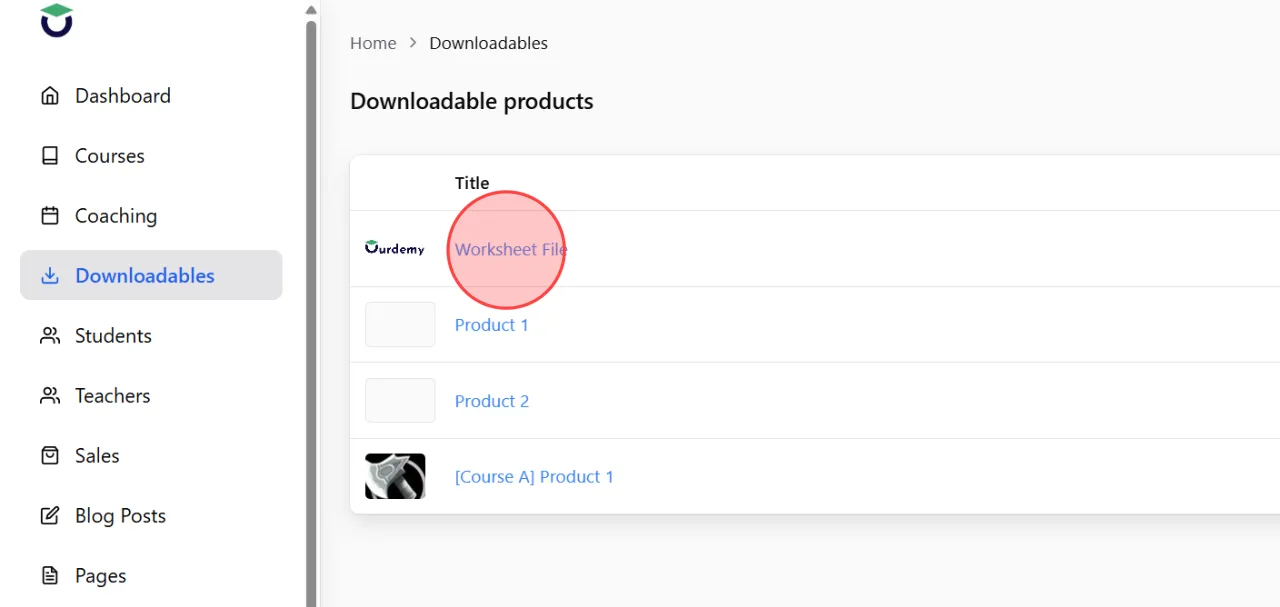
Select the downloadable product for which you want to check purchase information and sales history.
3
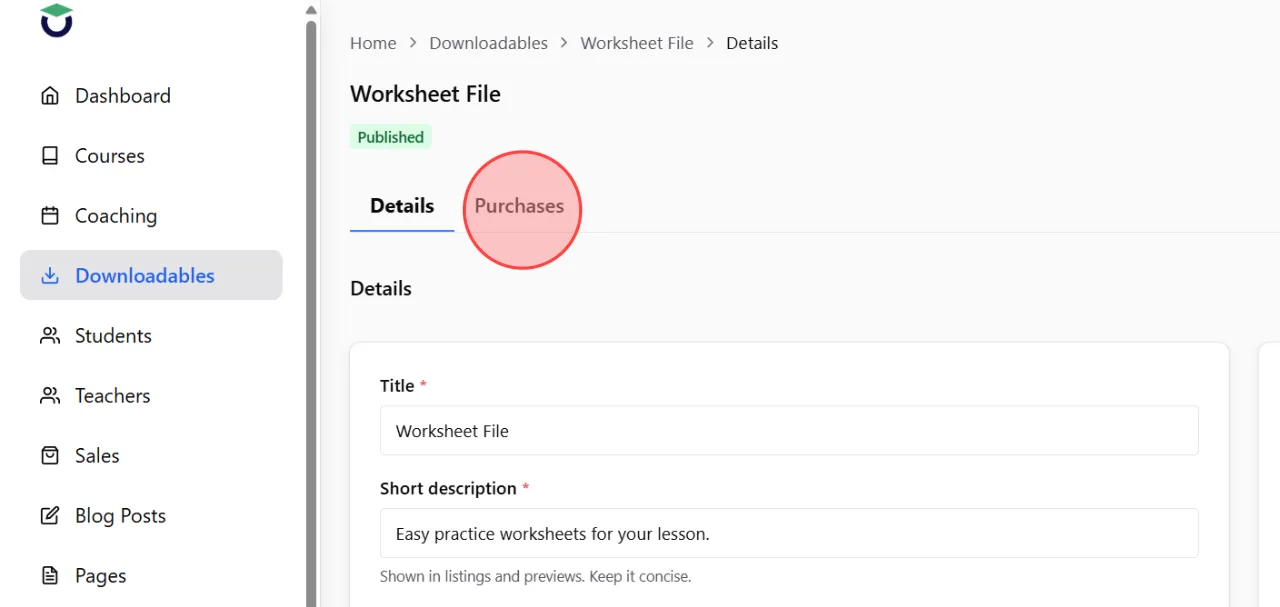
Click the Purchase button on the product details screen.
This section allows you to review all purchase activity related to the product.
This section allows you to review all purchase activity related to the product.
4
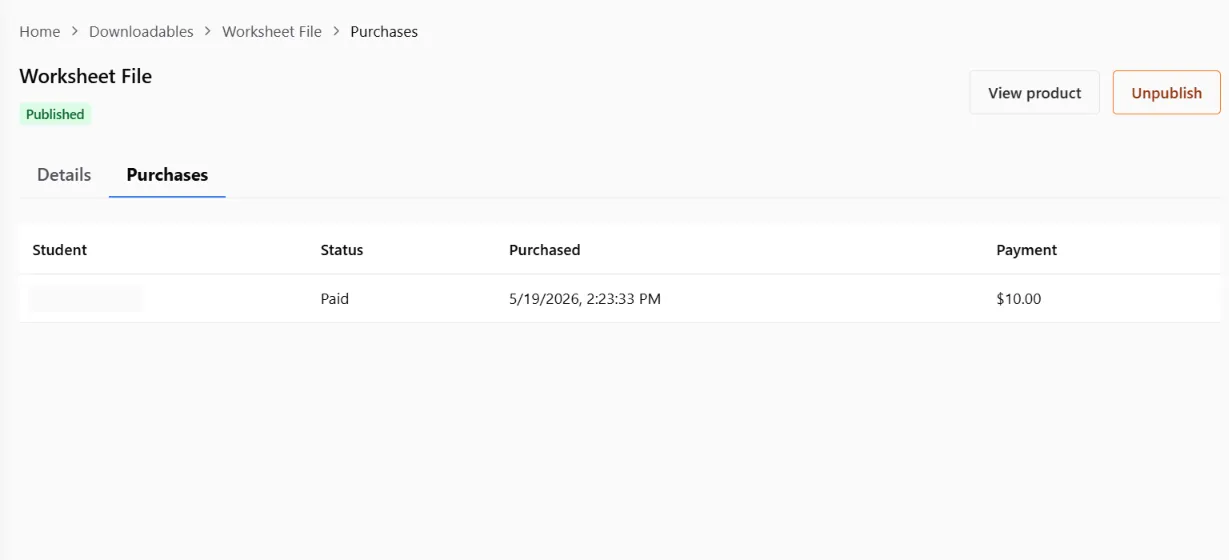
The system will display a list of customers who purchased the downloadable product, including information such as purchaser details, purchase date, payment status, and related order information.
 English
  日本語
日本語