
• Pricing
  • Blog
  • Help Center
  • Contact

Start free trial

We bring together everything that’s required to build an online academy. Manage your content and learner progress in one place.

Edit Content
.ourdemy.com
This will be your unique URL

By signing up, you agree to our Privacy policy and Terms of Use.

  1. Home
  2. Help Center
  3. Manage Your Account
Edit Content
  1. Home
  2. Help Center
  3. Manage Your Account

How can I reset my password if I forget it?

How can I change my password in my account?

How can I reset my password if I forget it?

How can I set up or manage two-factor authentication in my account?

How can I change my password in my account?

How can I reset my password if I forget it?

How can I set up or manage two-factor authentication in my account?

How can I reset my password if I forget it?

1
On the Sign In screen, if you forgot your password, click Reset it here located below the Sign In button.
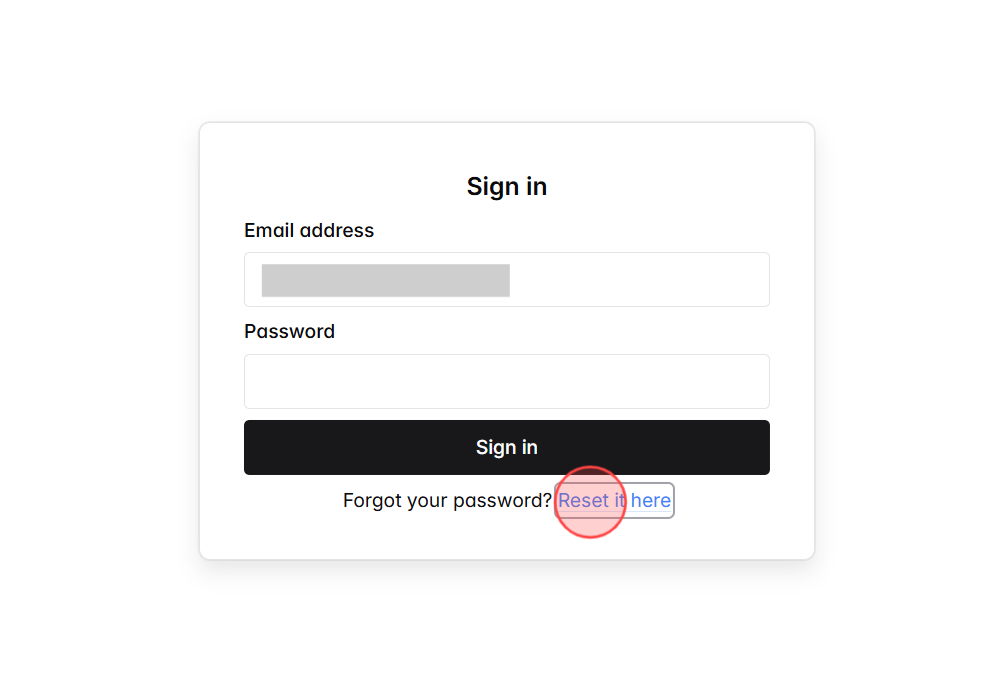
Screenshot for step 1
2
On the Reset Your Password screen, enter the email address linked to your account to receive password reset instructions.
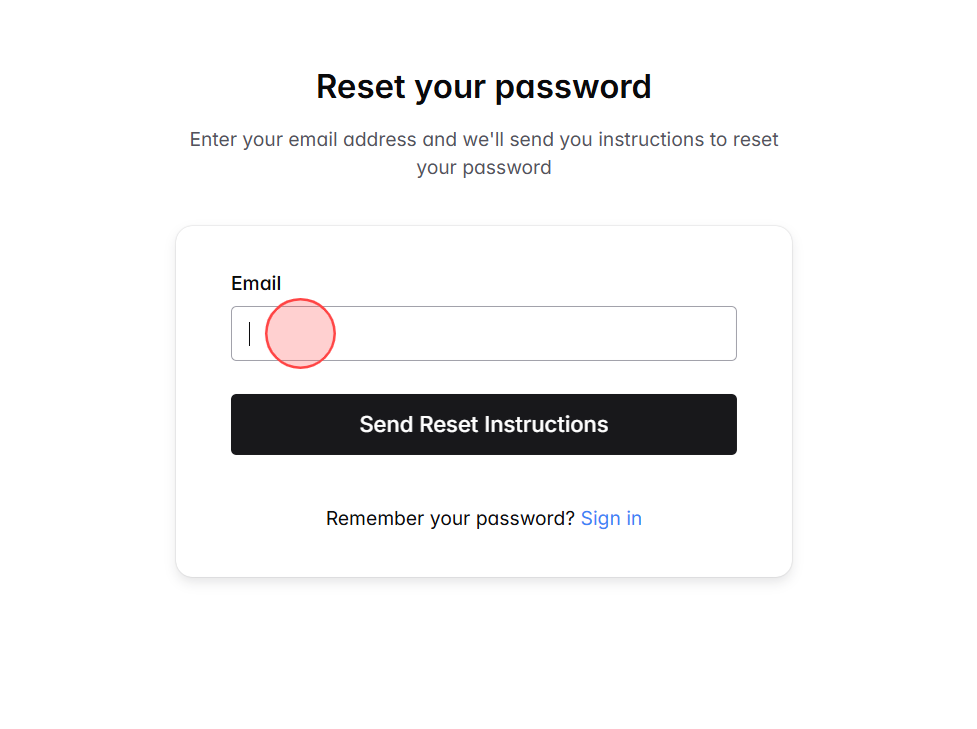
Screenshot for step 2
3
After entering your email, click Send Reset Instructions.
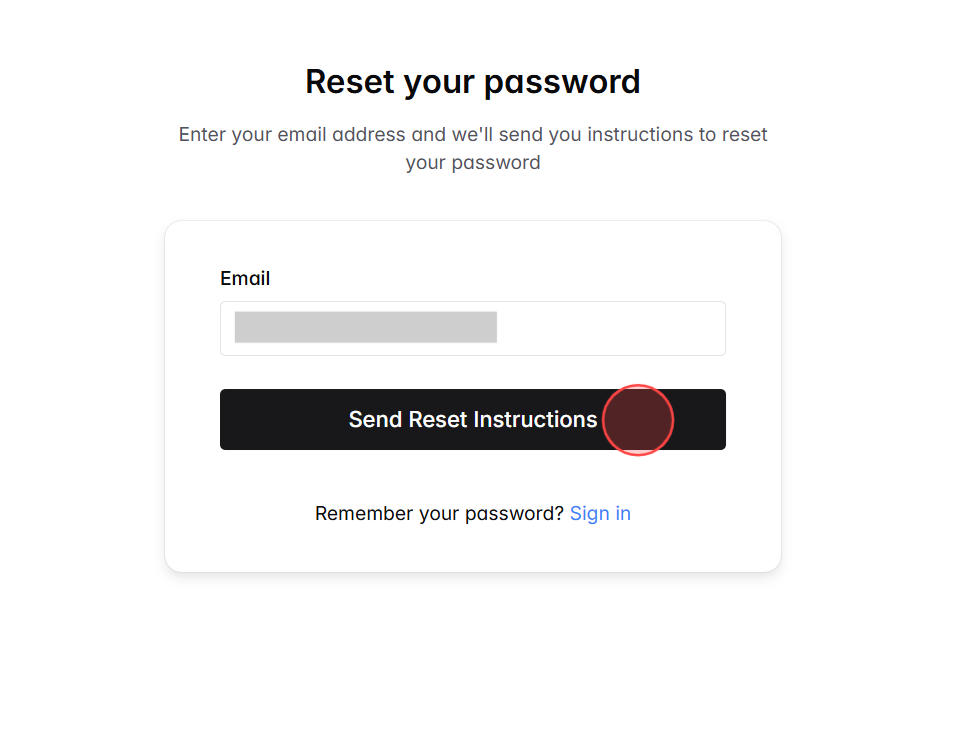
Screenshot for step 3
4
A confirmation message will appear, informing you that if the account exists, password reset instructions have been sent.
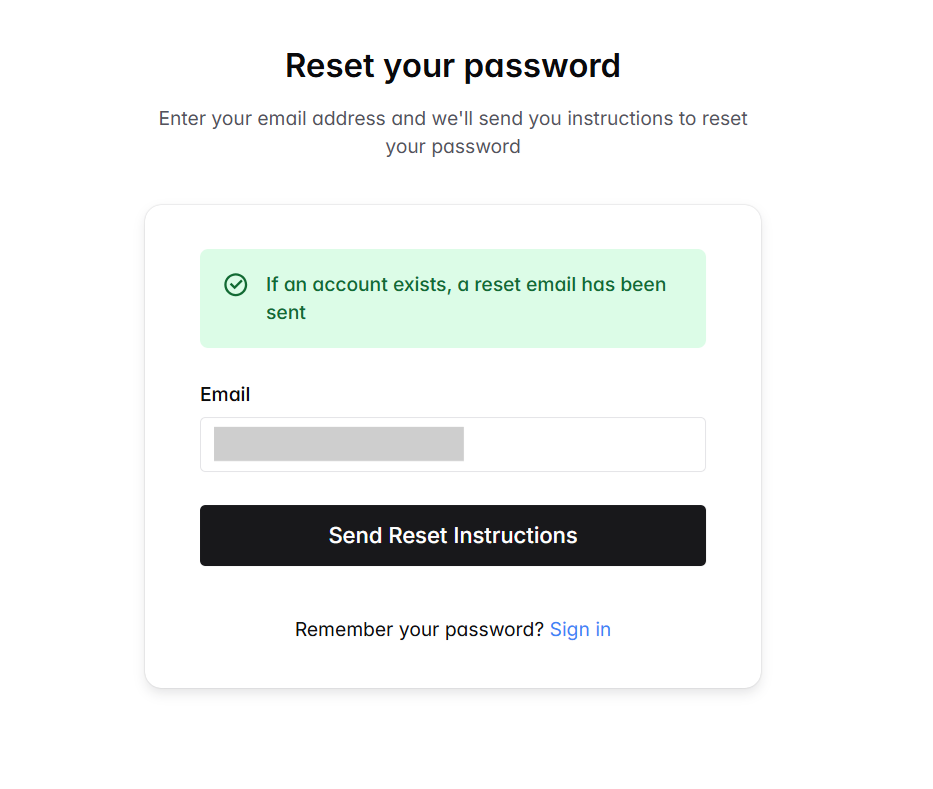
Screenshot for step 4
5
Go to your inbox and check for an email from Ourdemy titled Reset Your Password, then open it to access the reset link.
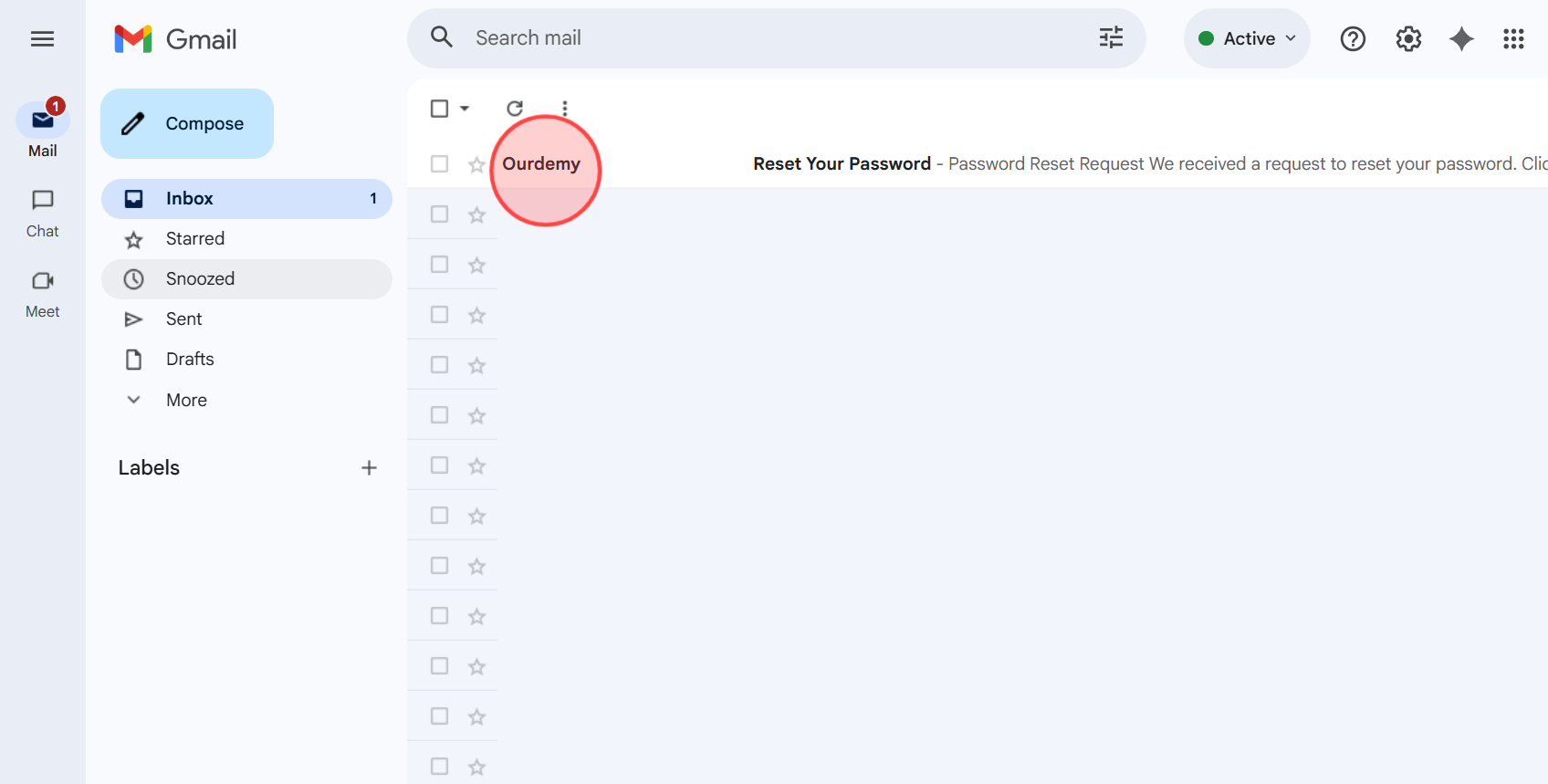
Screenshot for step 5
6
In the email, click the Reset Password button to open the password reset page and create a new password. Note: The reset link is valid for 1 hour only, so make sure to complete the process promptly.
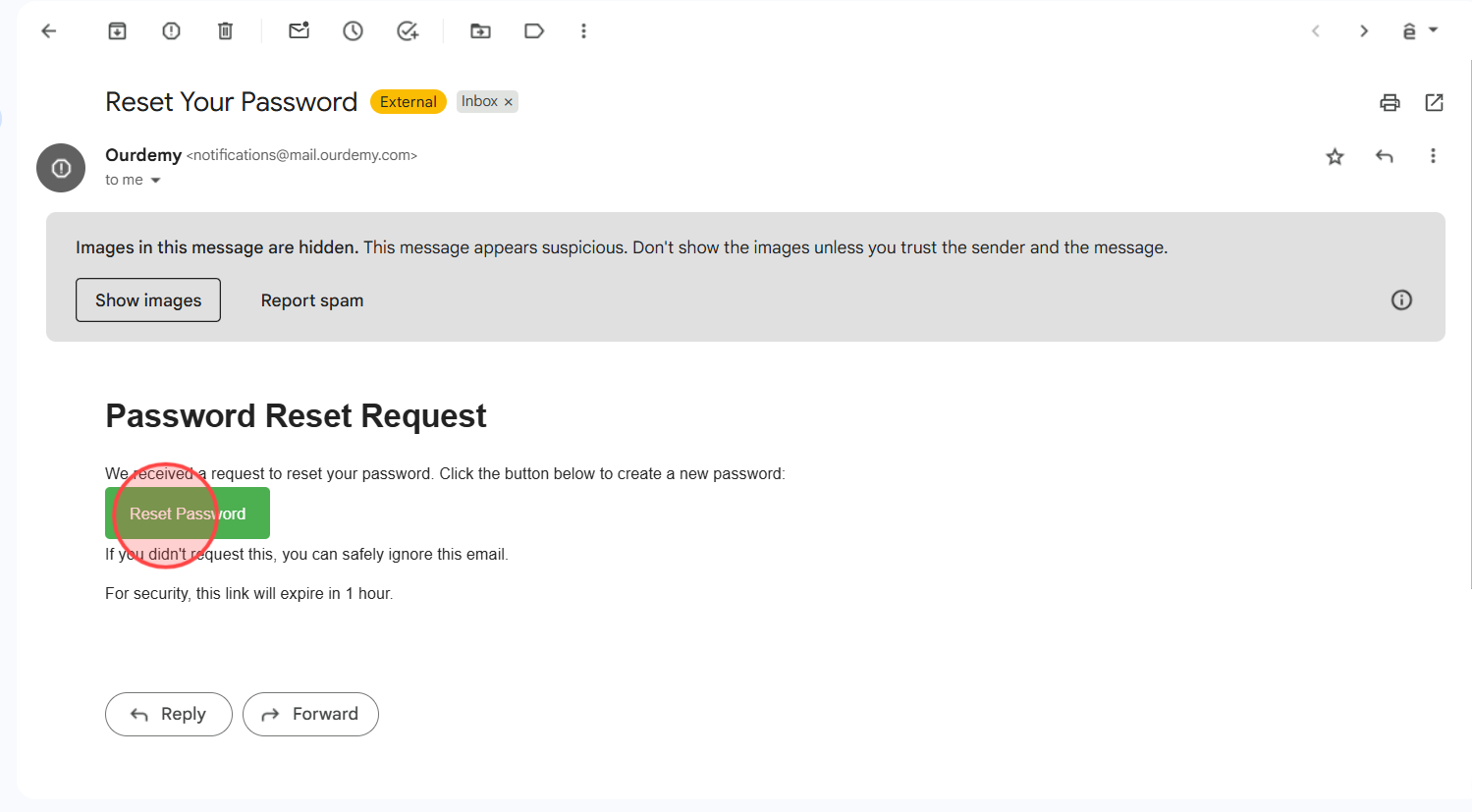
Screenshot for step 6
7
In the Reset Your Password form: – Enter your new password in the New Password field. – Type it again in the Confirm New Password field to confirm. – Make sure both passwords match and are at least 8 characters long.
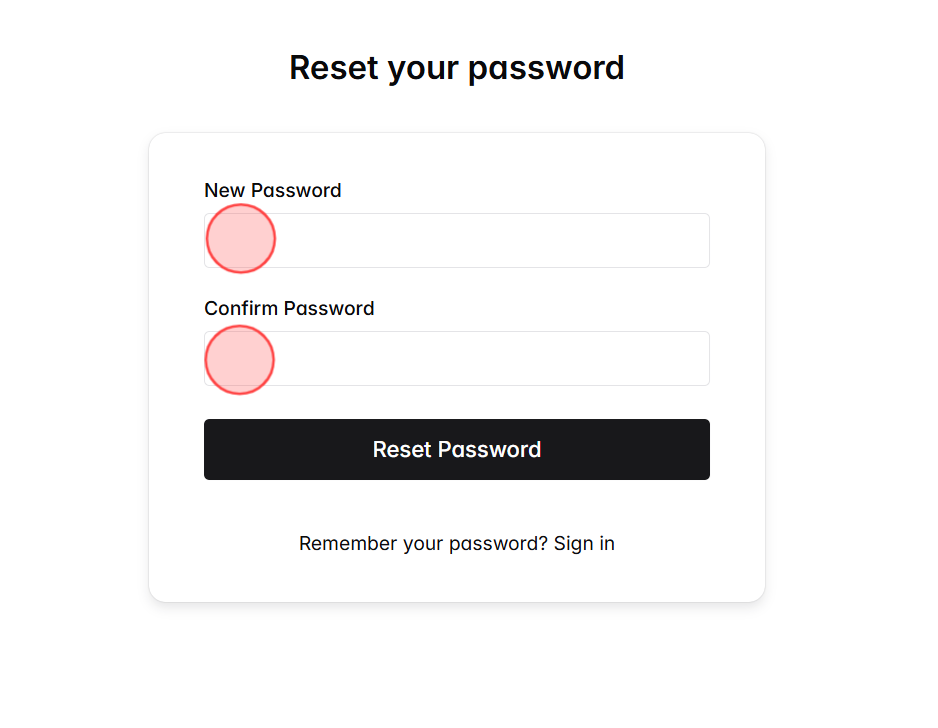
Screenshot for step 7
8
Once you’ve filled in both fields, click Reset Password to confirm your update.
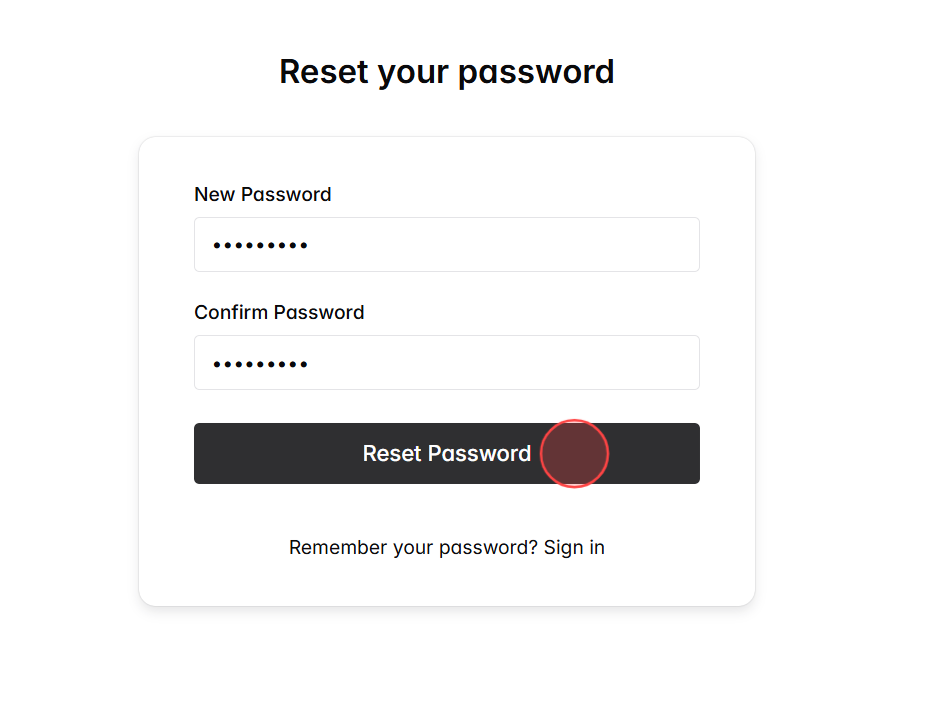
Screenshot for step 8
9
You’ll be redirected back to the Sign In page. Enter your email address and the new password, then click Sign In to access your account.
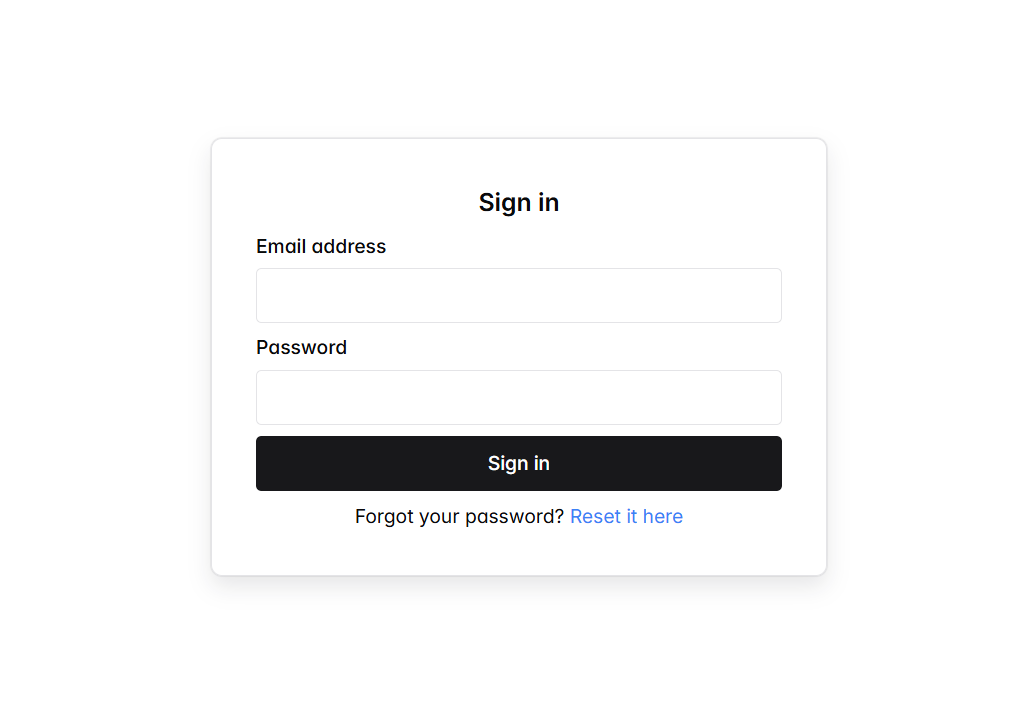
Screenshot for step 9

Search

Categories

  • Blog (35)
  • Customize Your Site (32)
  • Getting Started (13)
  • Help Center (73)
  • Manage Learning Content (17)
  • Manage Your Account (3)
  • Manage your students (6)
  • Manage Your Teachers (2)

Recent posts

  • From Offline Expert to Online Instructor: A 30-Day Transition Roadmap
  • Case Study: What Are the Minimum Features an Online Academy Needs to Get Started?
  • Should You Build Your Own Course Website or Use an Existing LMS Platform?

Make your own online academy.

Links
  • 特定商取引法に基づく表⽰
  • Blog
  • Help center
  • Contact Us
Get in touch
  • [email protected]

© 2025 Ourdemy. All Rights Reserved.

  • Terms & Conditions
  • Privacy Policy
en_USEnglish
ja日本語 en_USEnglish