
1
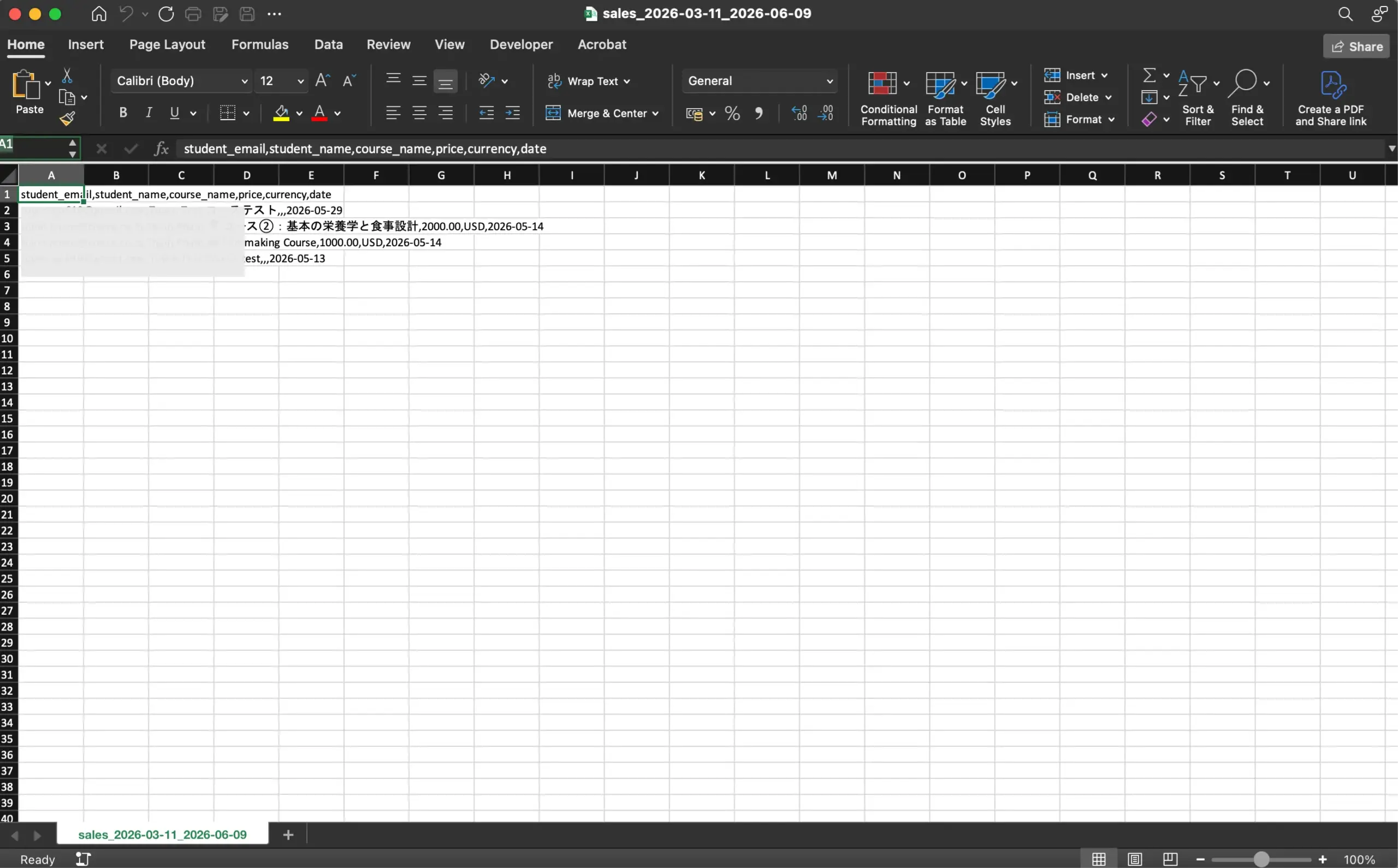
Open the csv data file you just exported from the system in Excel.
2
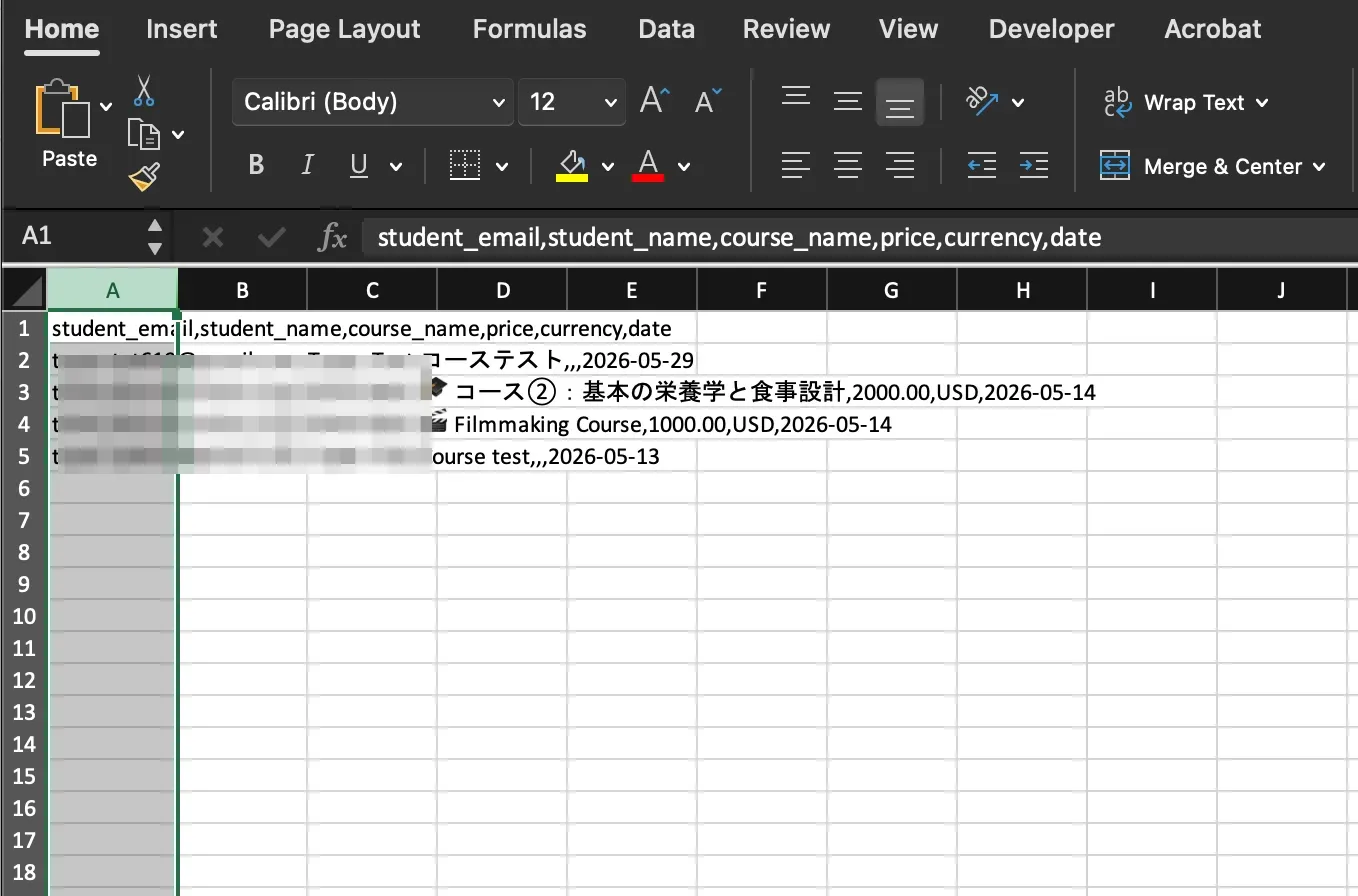
Select the data range you need to separate into columns.
3
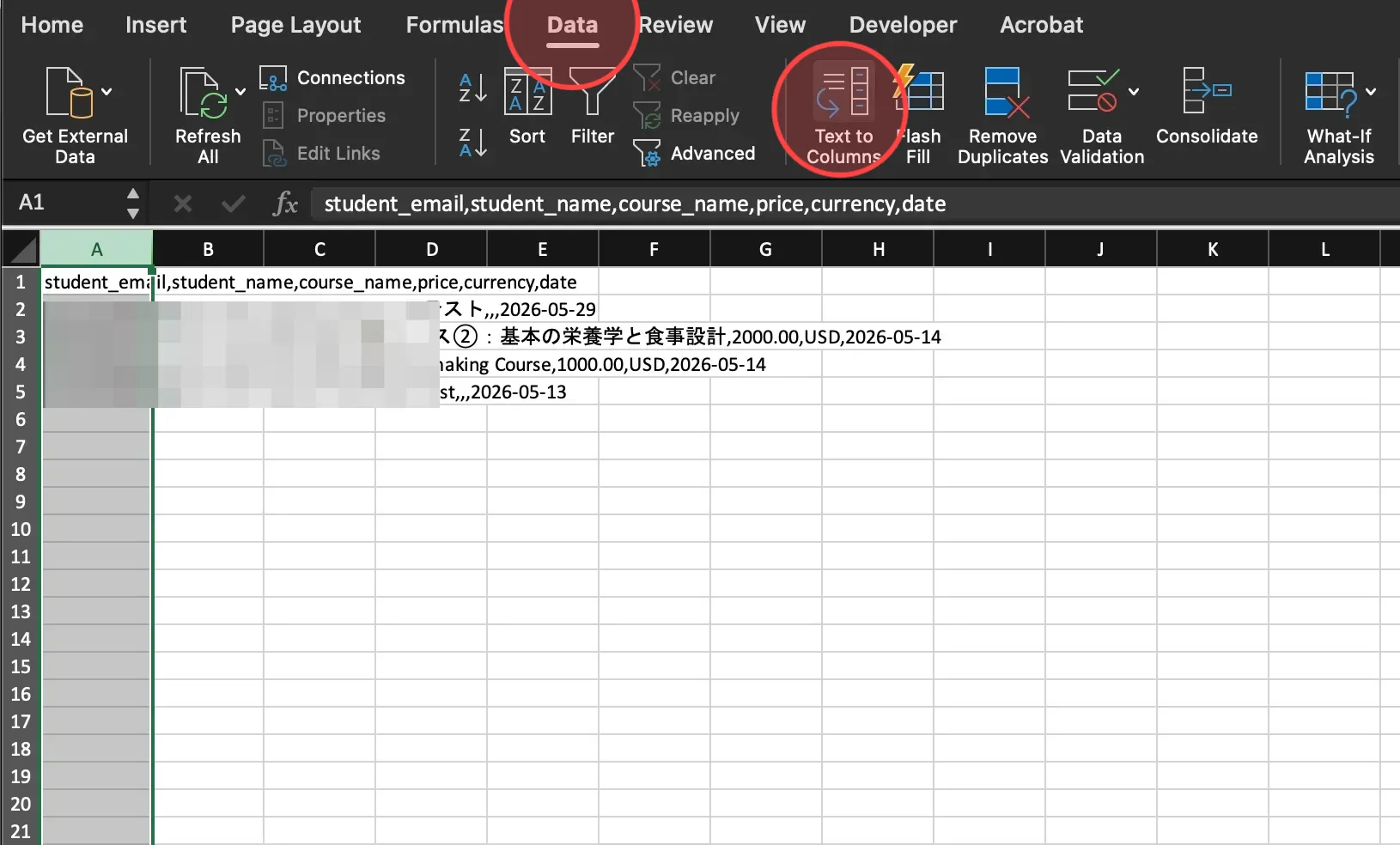
Open Data menu and then choose Text to Columns.
4
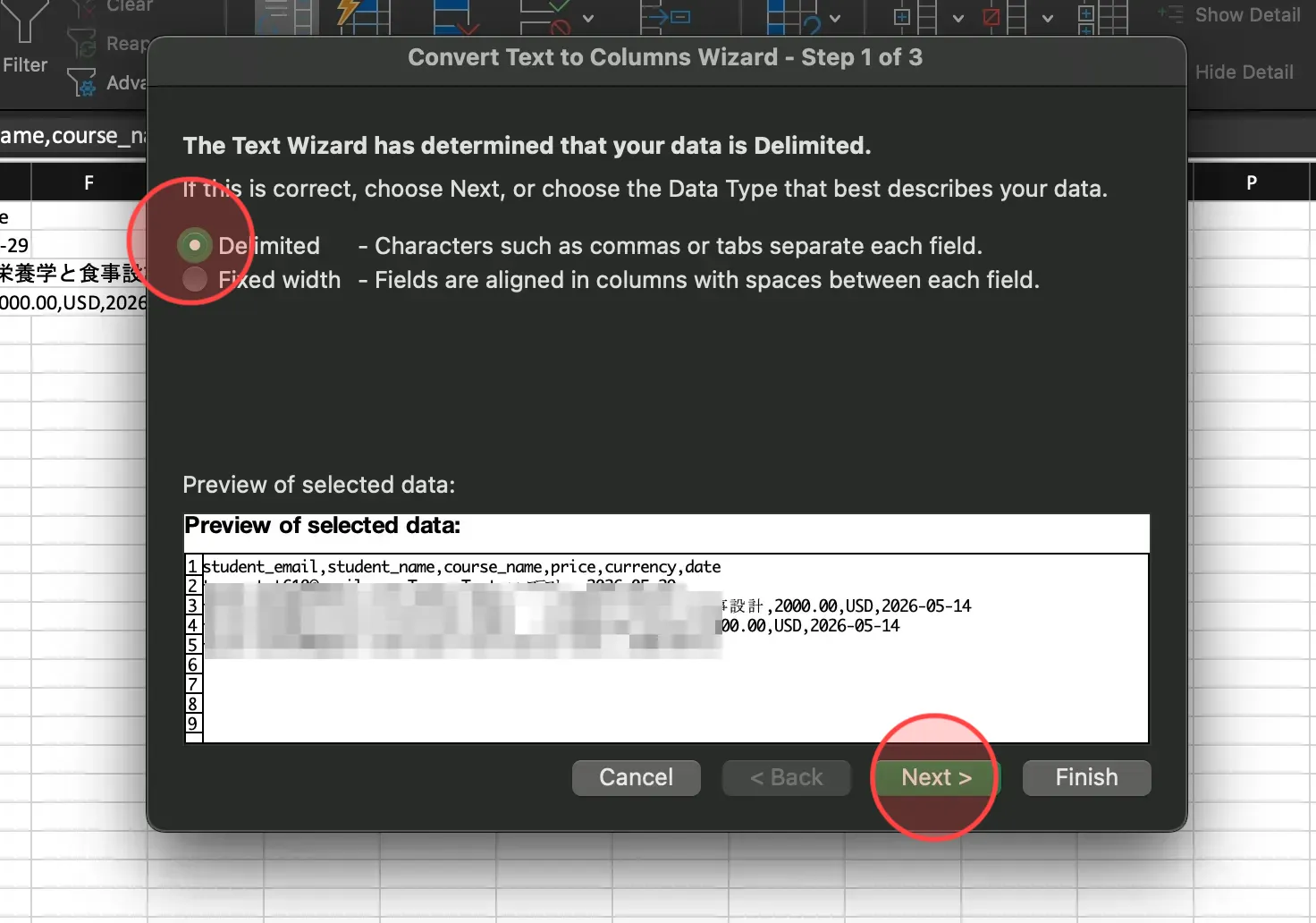
Click Delimited and then click Next to continue.
5
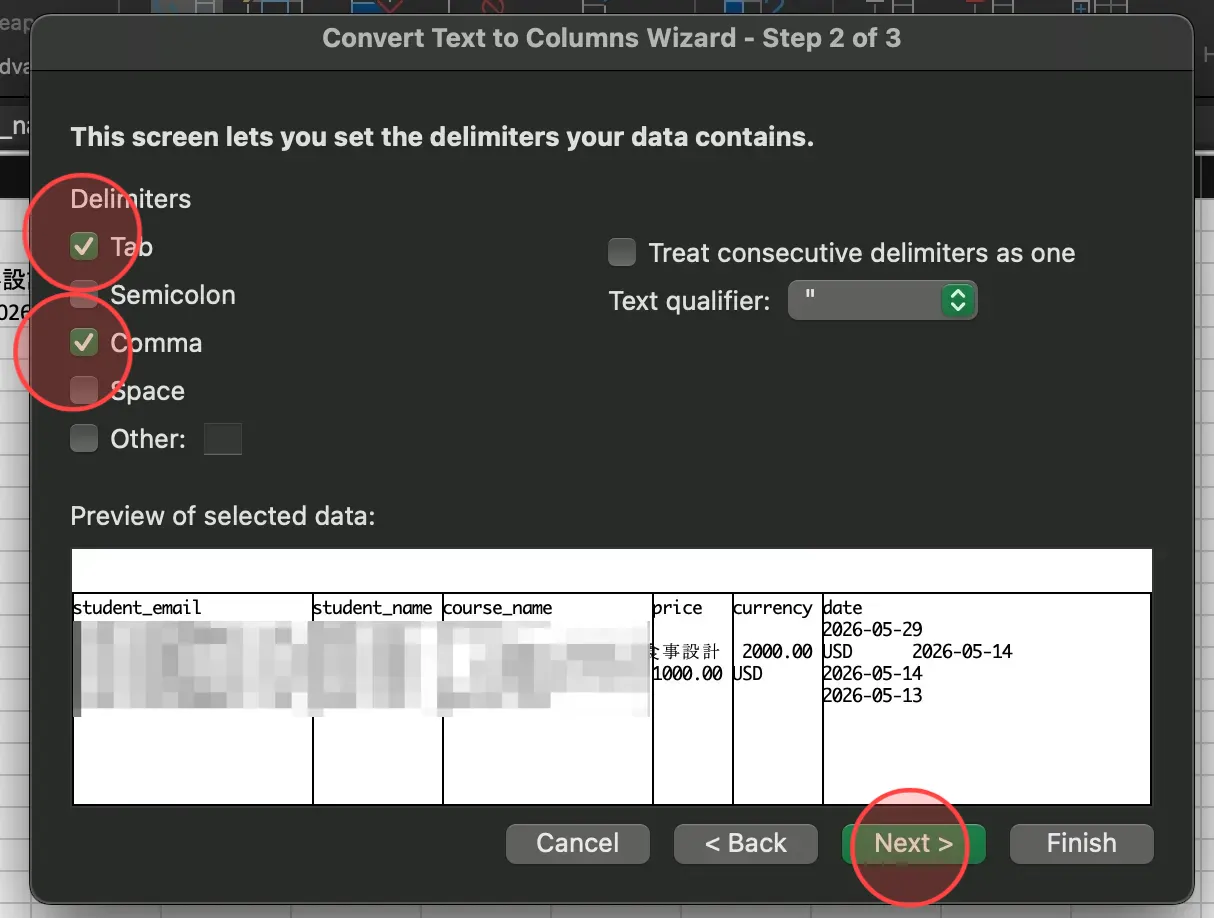
In the delimiters menu, click on checkbox of Tab and Comma to divide the data into separate columns.
After that, click Next to go on the next step.
After that, click Next to go on the next step.
6
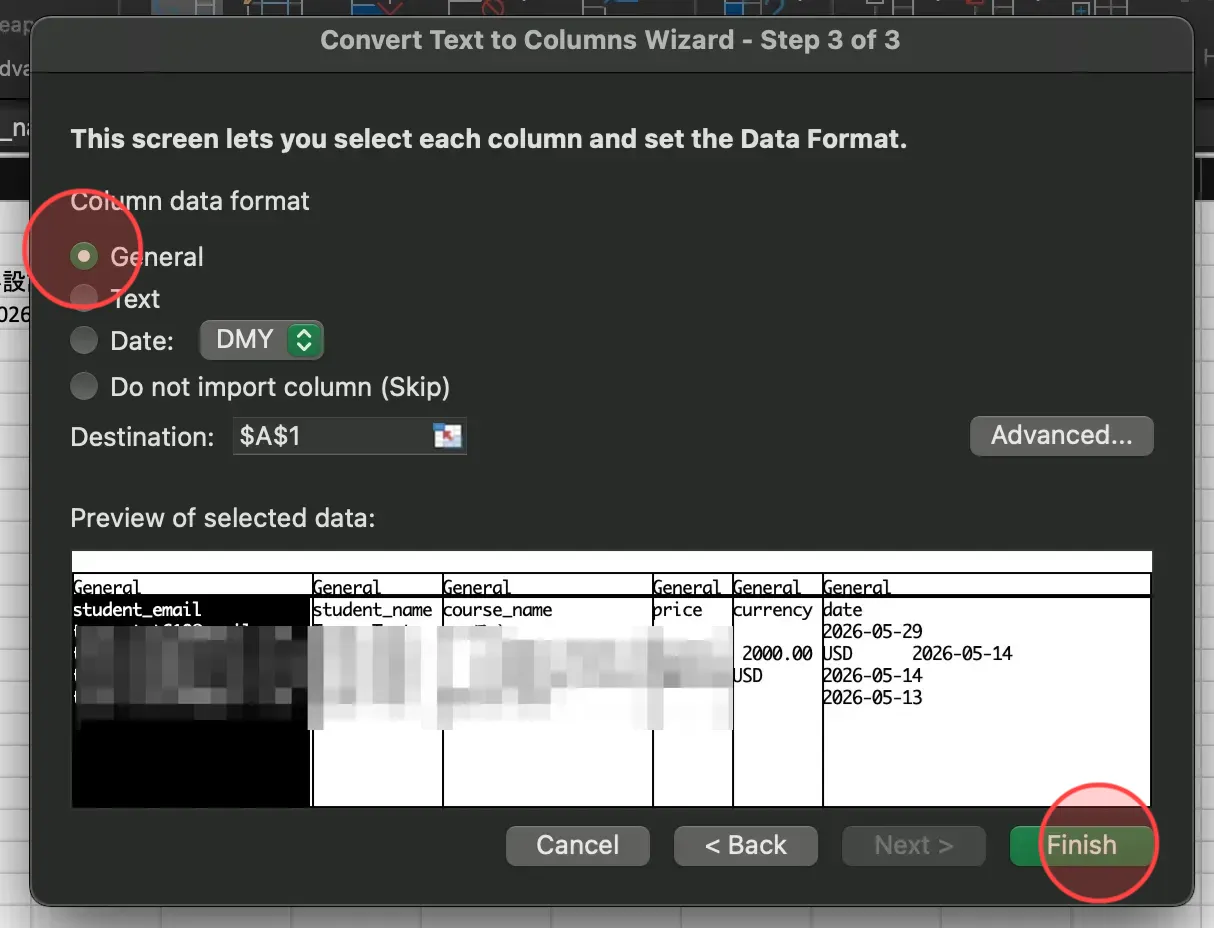
Select General int he column data format and click Finish to complete the process.
7
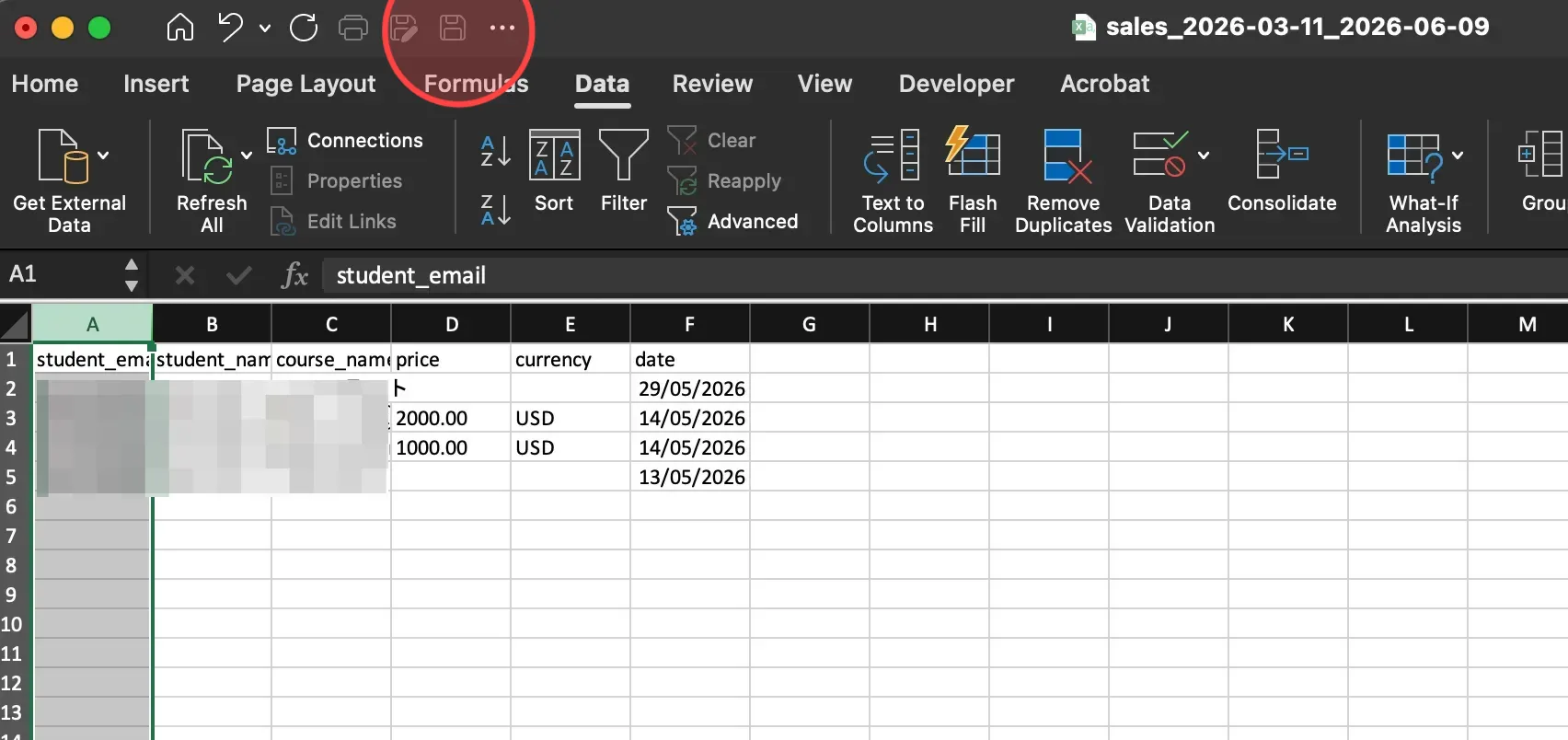
Align rows and columns as desired. Select the Save icon to save all changes.
 English
  日本語
日本語