
• Pricing
  • Blog
  • Help Center
  • Contact

Start free trial

We bring together everything that’s required to build an online academy. Manage your content and learner progress in one place.

Edit Content

New to Ourdemy? Start now with our step-by-step guide for beginners.

.ourdemy.com
This will be your unique URL

By signing up, you agree to our Privacy policy and Terms of Use.

  1. Home
  2. Help Center
  3. Manage Your Account
Edit Content
  1. Home
  2. Help Center
  3. Manage Your Account

CSV opened in Excel – all data in one column, how to fix?

CSV opened in Excel – all data in one column, how to fix?

Can I export student or sale data from the system to my device?

How can I change my password in my account?

How can I reset my password if I forget it?

How can I set up or manage two-factor authentication in my account?

CSV opened in Excel – all data in one column, how to fix?

Can I export student or sale data from the system to my device?

How can I change my password in my account?

How can I reset my password if I forget it?

How can I set up or manage two-factor authentication in my account?

CSV opened in Excel – all data in one column, how to fix?

1
Open the csv data file you just exported from the system in Excel.
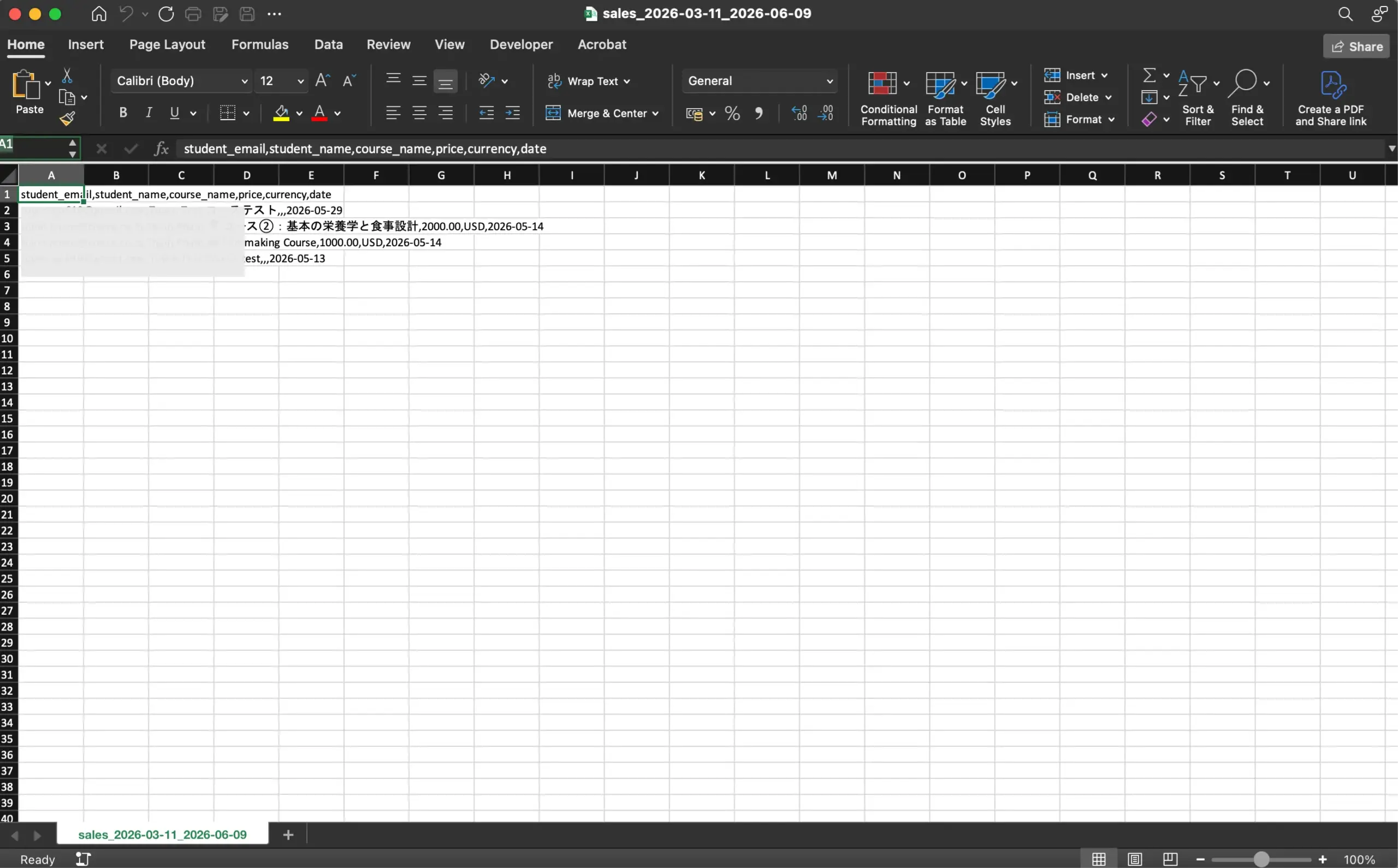
Screenshot for step 1
2
Select the data range you need to separate into columns.
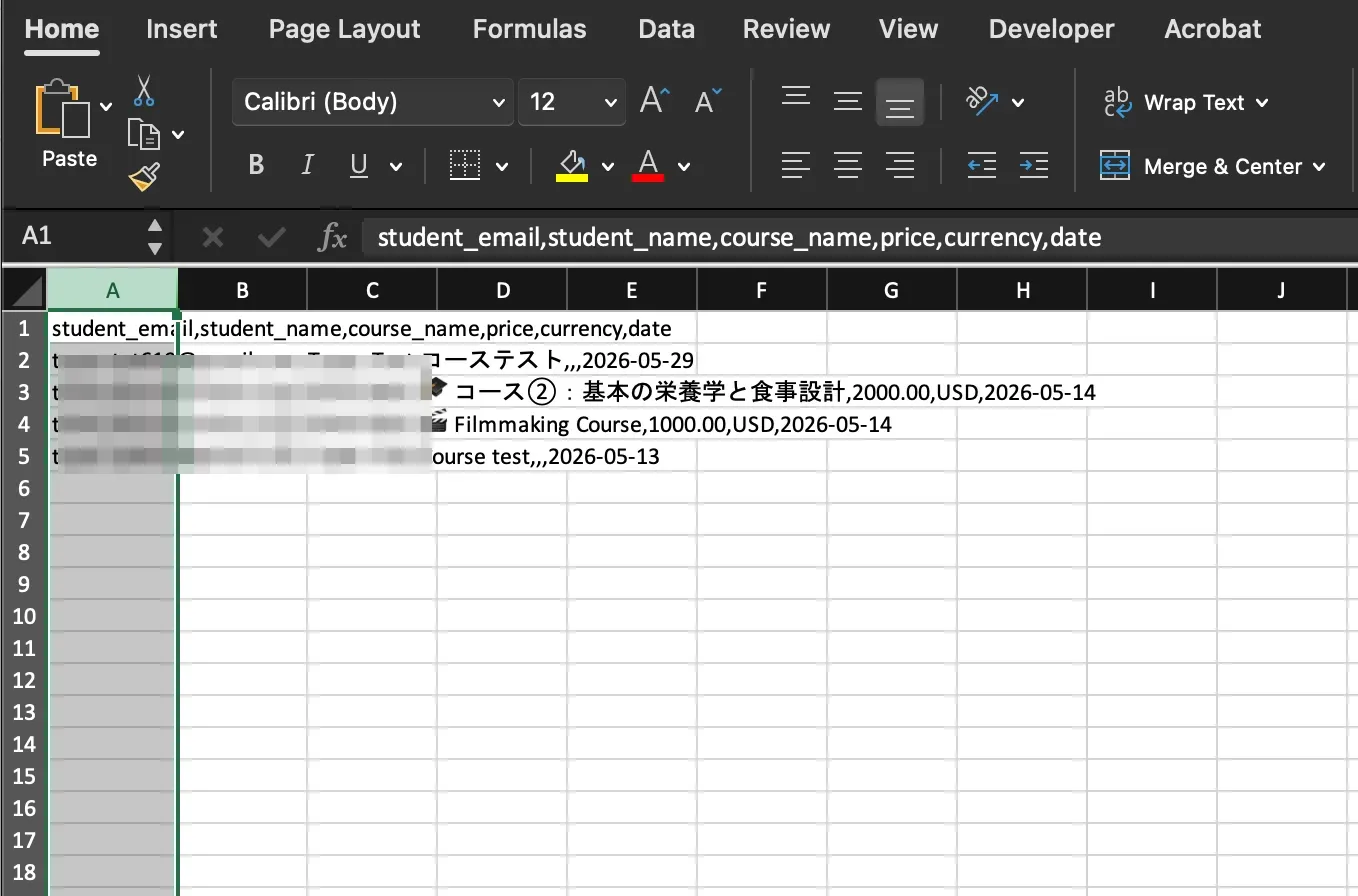
Screenshot for step 2
3
Open Data menu and then choose Text to Columns.
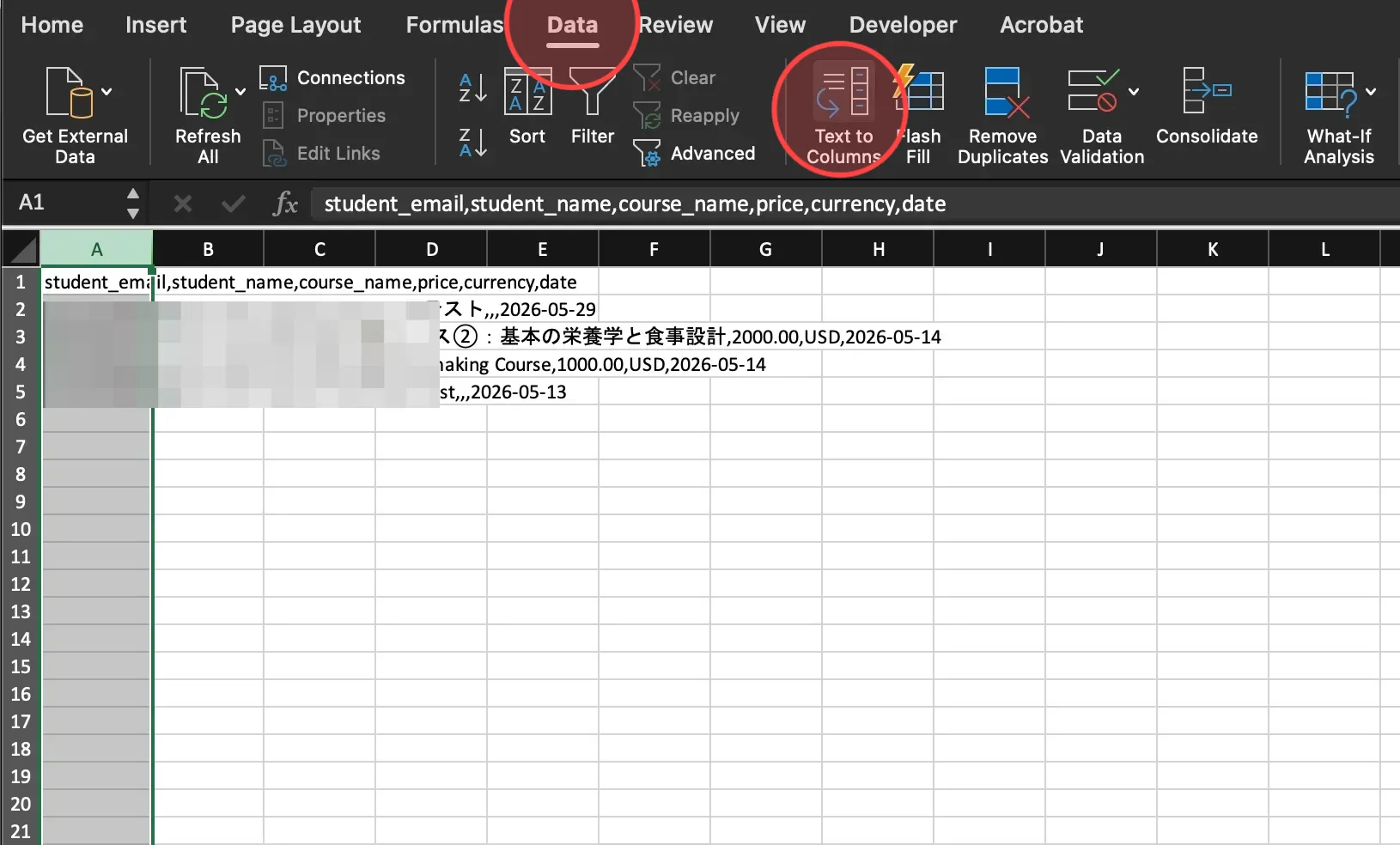
Screenshot for step 3
4
Click Delimited and then click Next to continue.
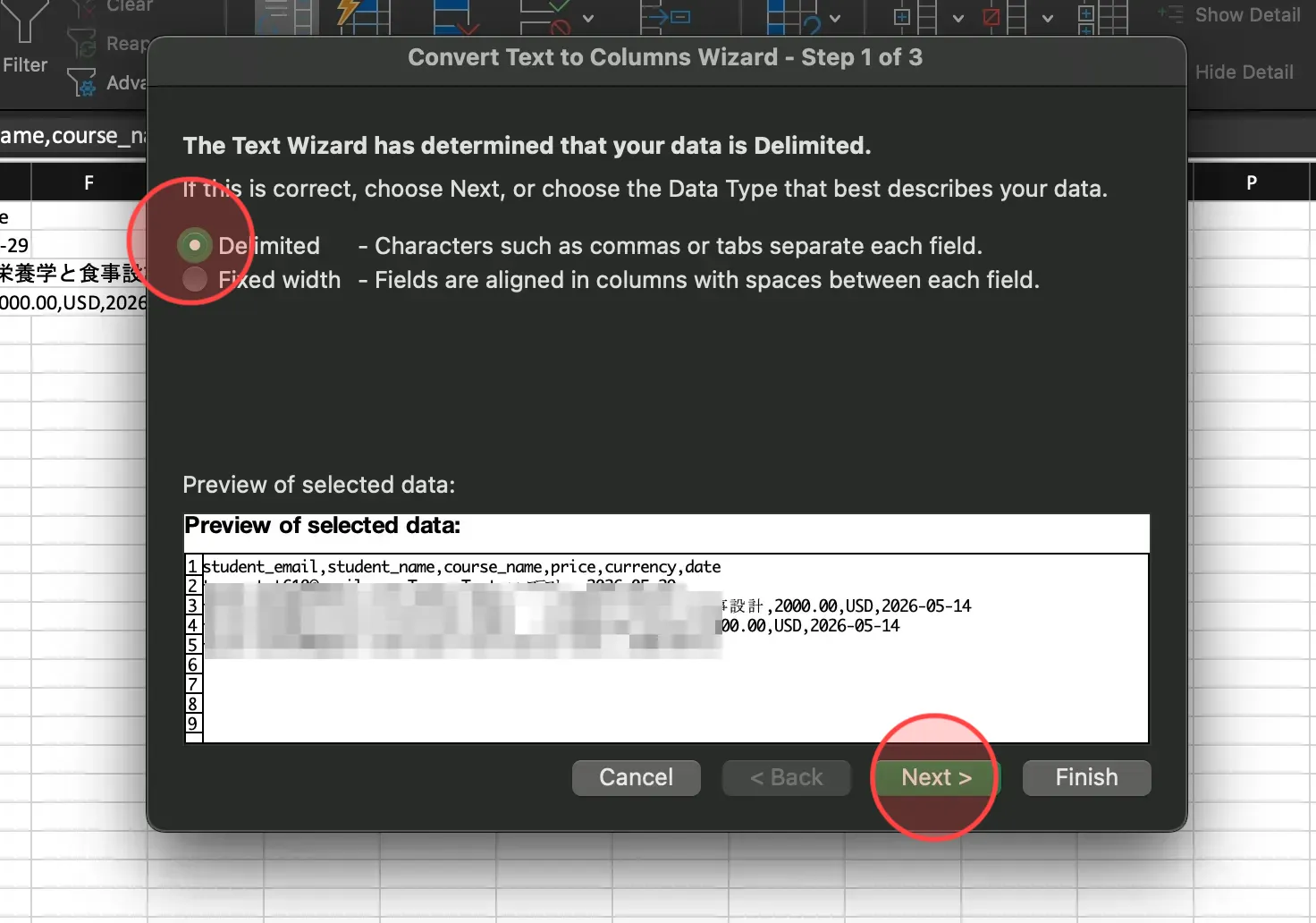
Screenshot for step 4
5
In the delimiters menu, click on checkbox of Tab and Comma to divide the data into separate columns.
After that, click Next to go on the next step.
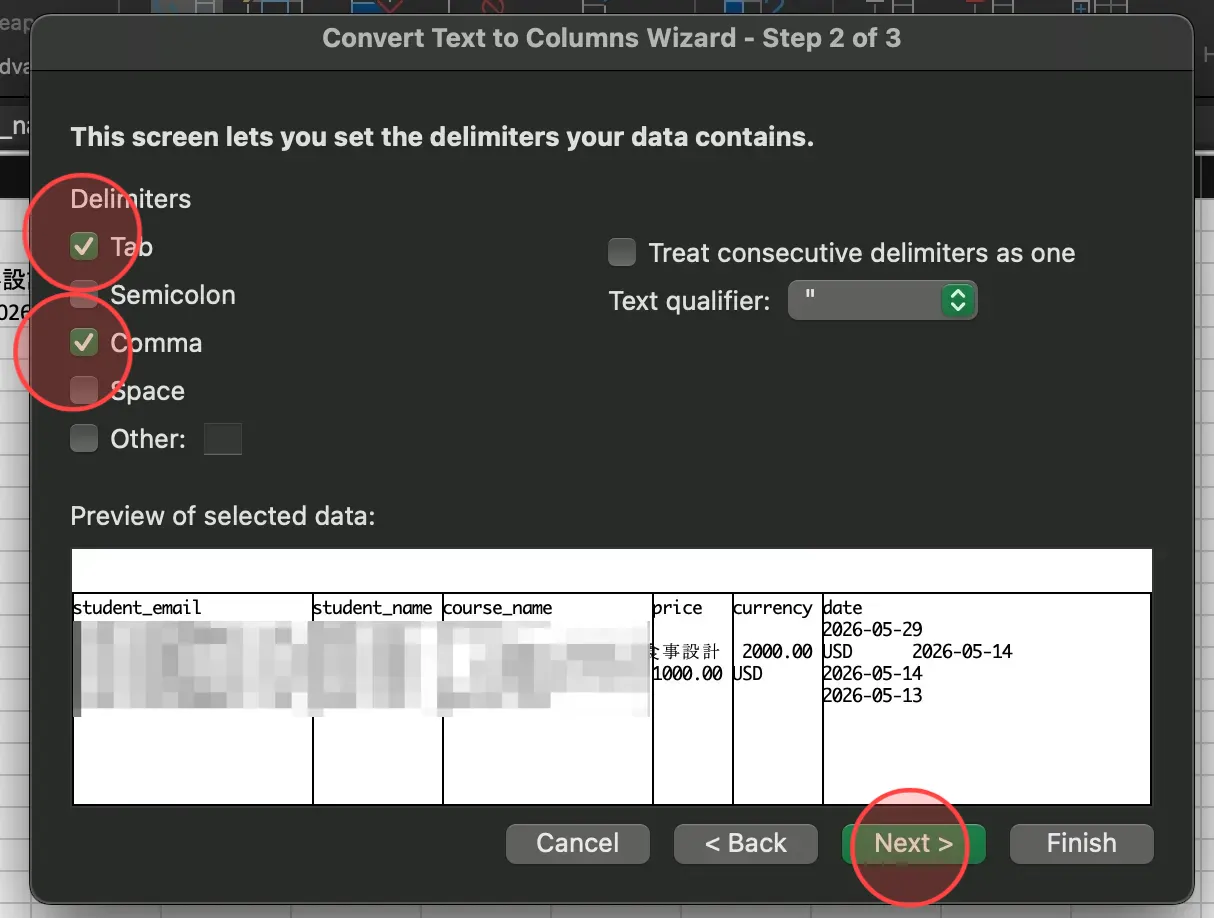
Screenshot for step 5
6
Select General int he column data format and click Finish to complete the process.
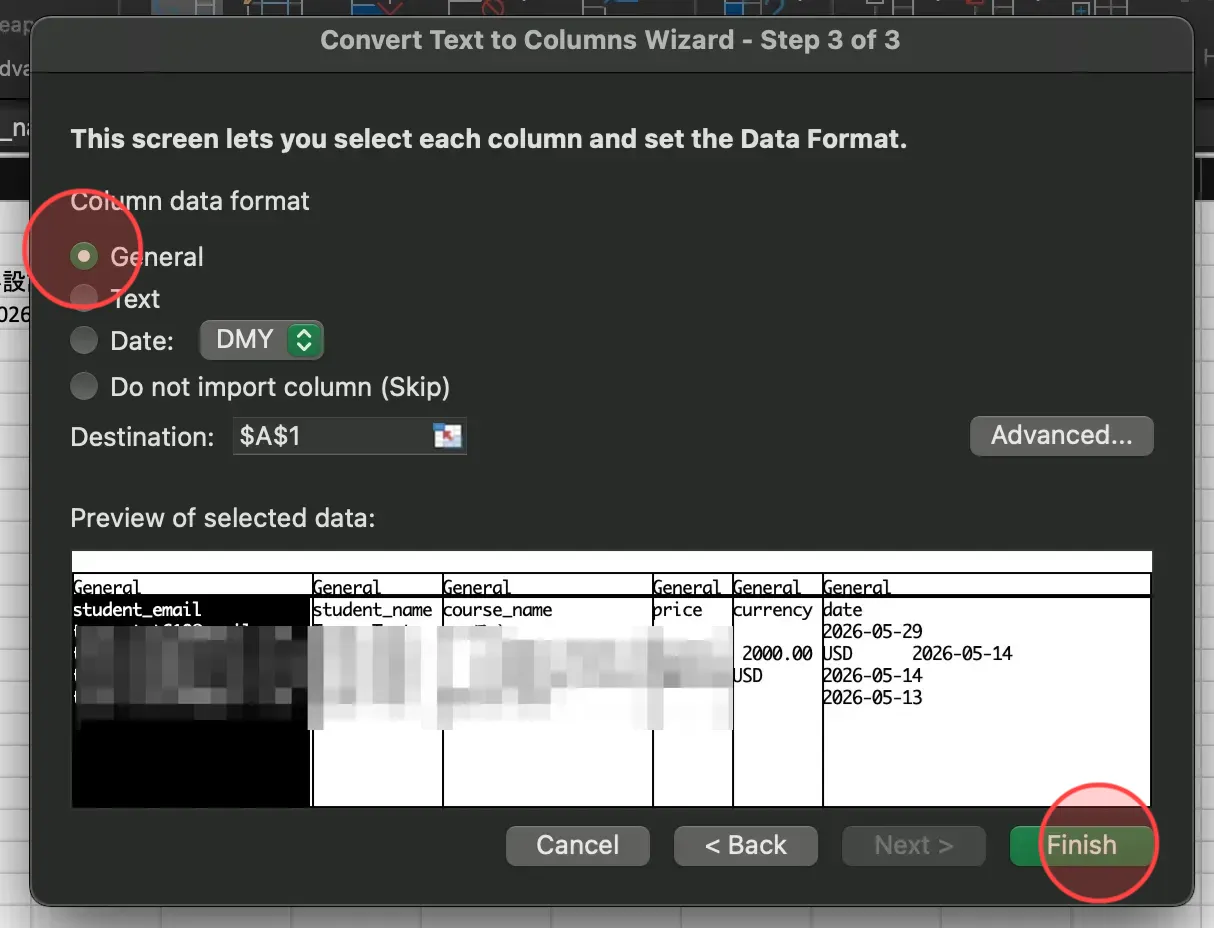
Screenshot for step 6
7
Align rows and columns as desired. Select the Save icon to save all changes.
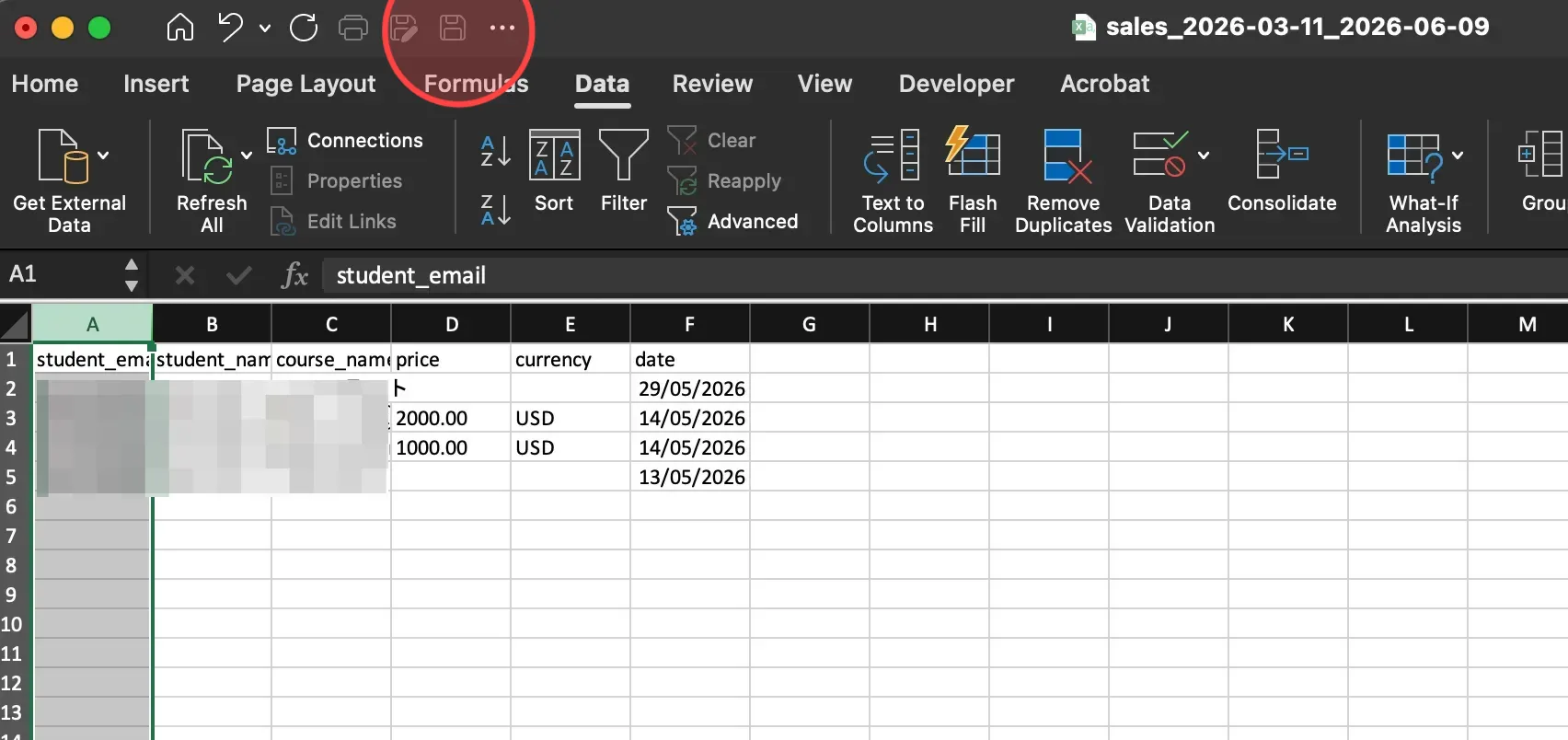
Screenshot for step 7

Search

Categories

  • Blog (61)
  • Customize Your Site (35)
  • Getting Started (13)
  • Help Center (100)
  • Manage Coaching (11)
  • Manage Coaching Service (18)
  • Manage Downloadable Products (4)
  • Manage Learning Content (18)
  • Manage Your Account (5)
  • Manage your students (6)
  • Manage Your Teachers (2)
  • Uncategorized (1)

Recent posts

  • CSV opened in Excel – all data in one column, how to fix?
  • Can I export student or sale data from the system to my device?
  • How to use a prompt to create a page by AI?

Make your own online academy.

Links
  • 特定商取引法に基づく表⽰
  • Blog
  • Help center
  • Contact Us
Get in touch
  • [email protected]

© 2025 Ourdemy. All Rights Reserved.

  • Terms & Conditions
  • Privacy Policy
en_USEnglish
ja日本語 en_USEnglish