
1
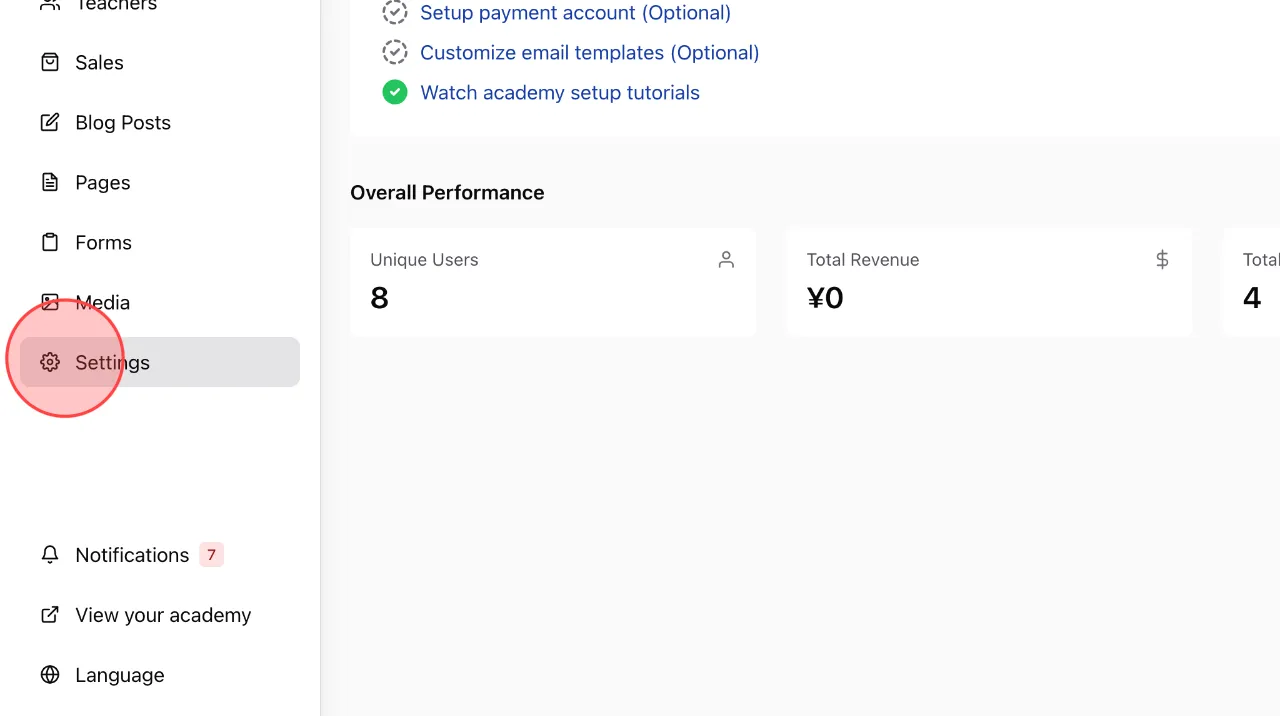
At the admin dashboard screen, click Settings.
2
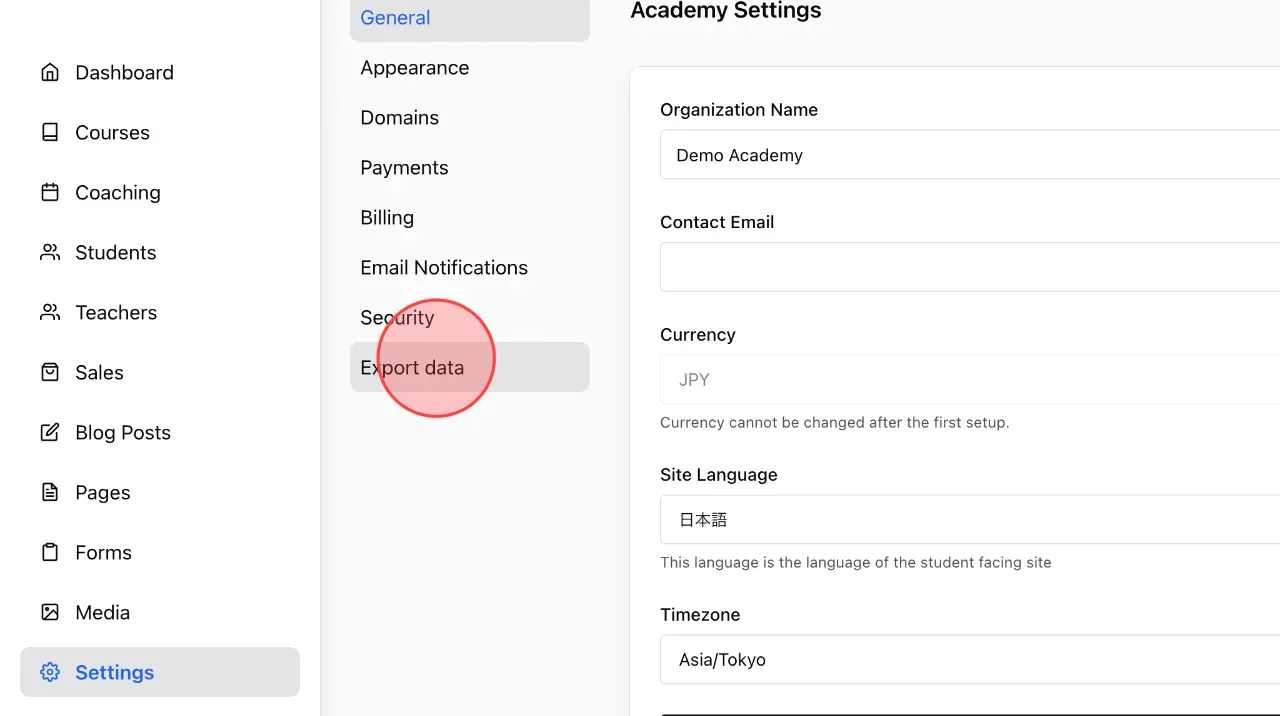
Click Export data in the settings menu.
3
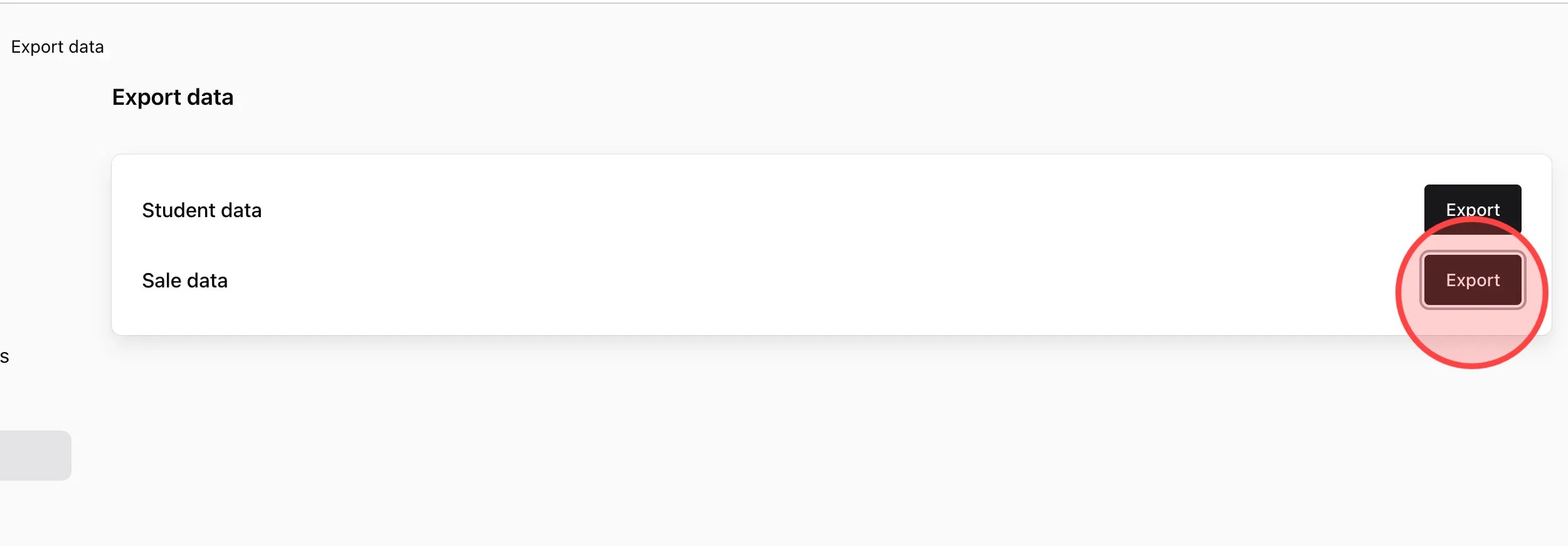
Click Export on the data you want yo download, e.g, Sale data.
4
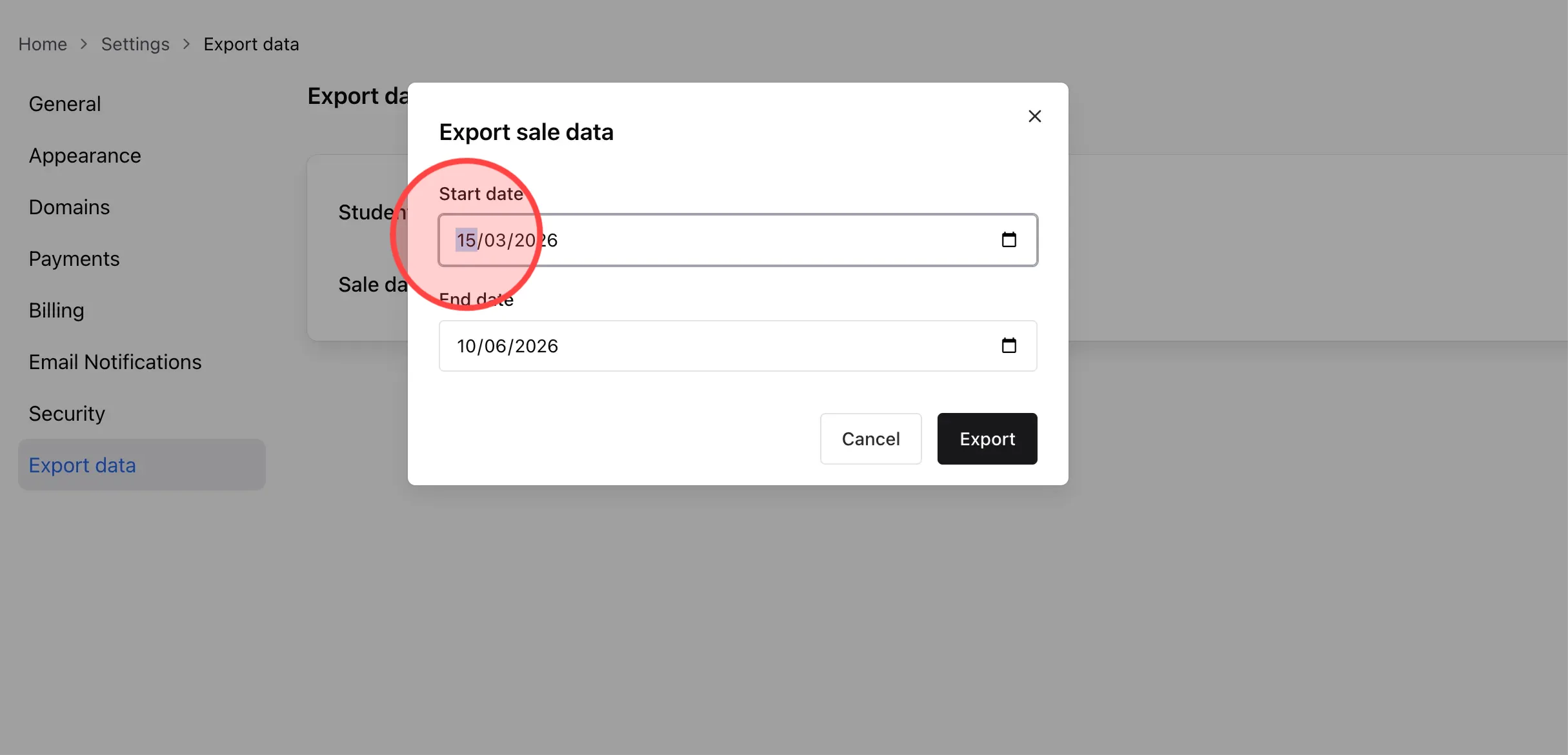
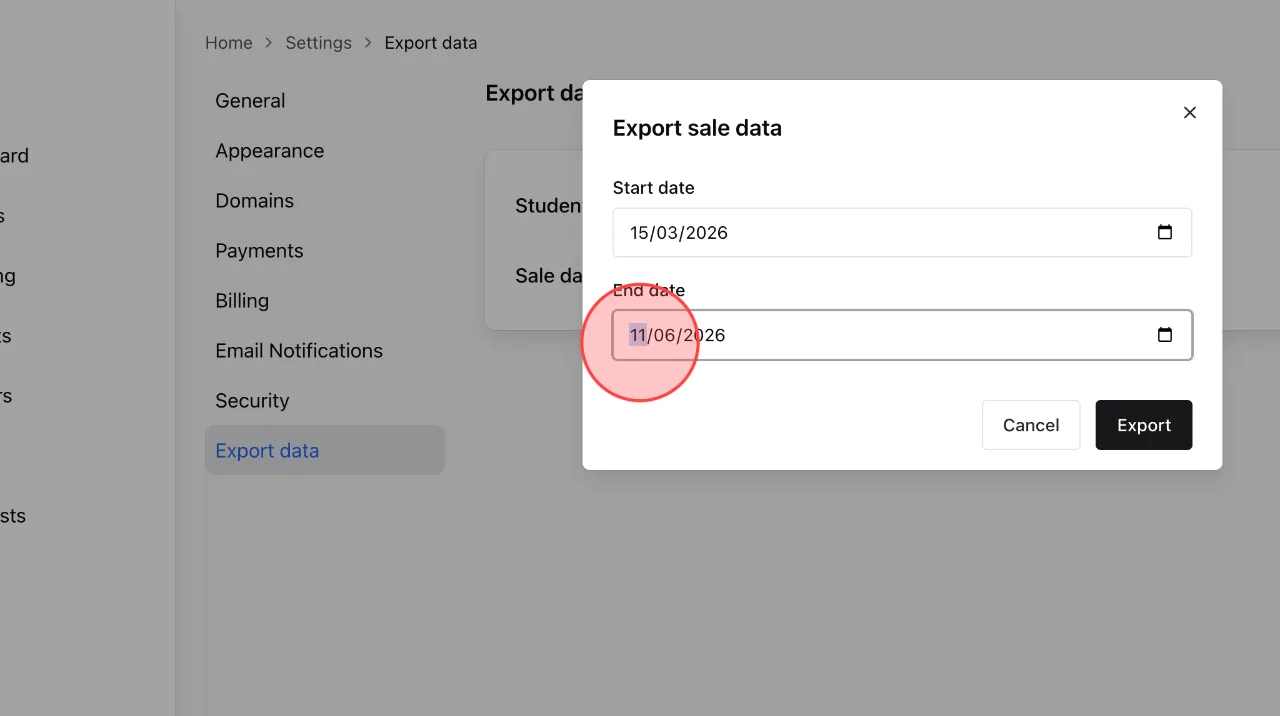
Click Start date to change the begin date you want to export data.
5
Click End date and change to complete the data export time range setting.
6
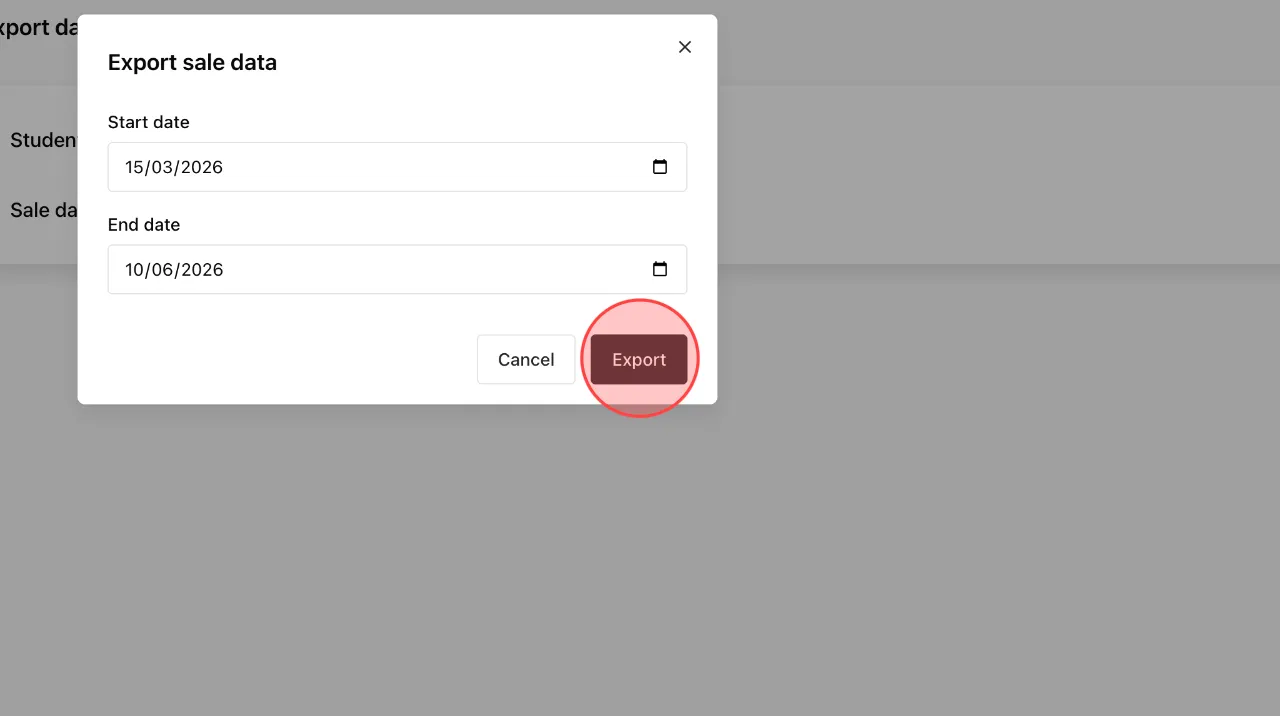
Click Export to export data according to the time range you selected.
 English
  日本語
日本語