
1
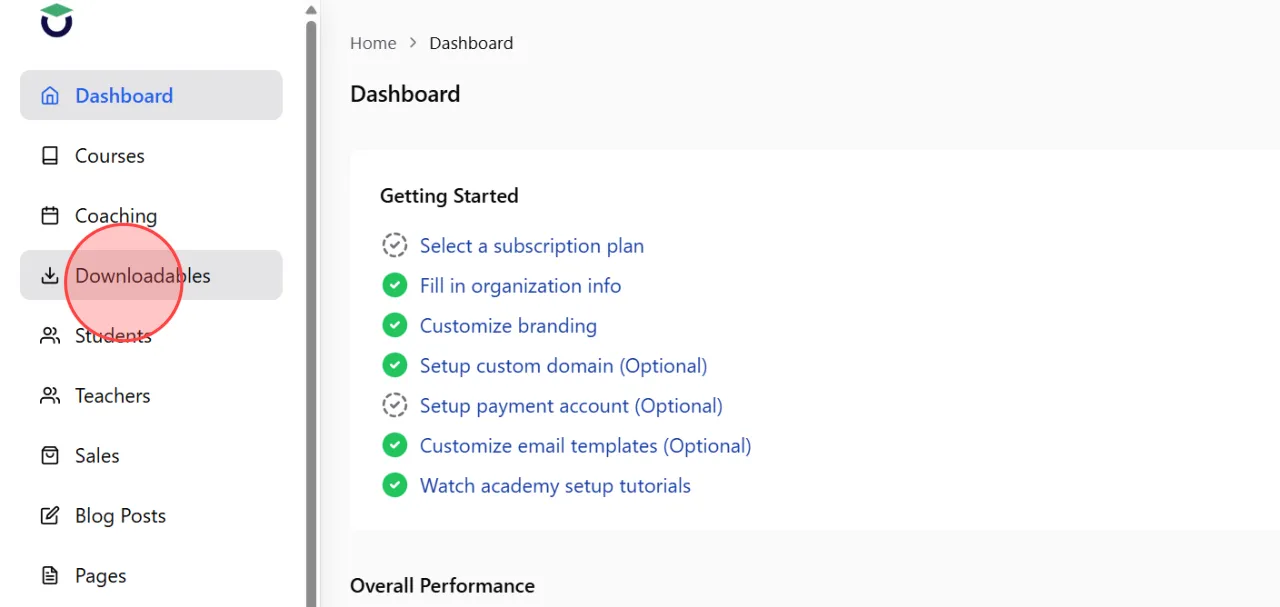
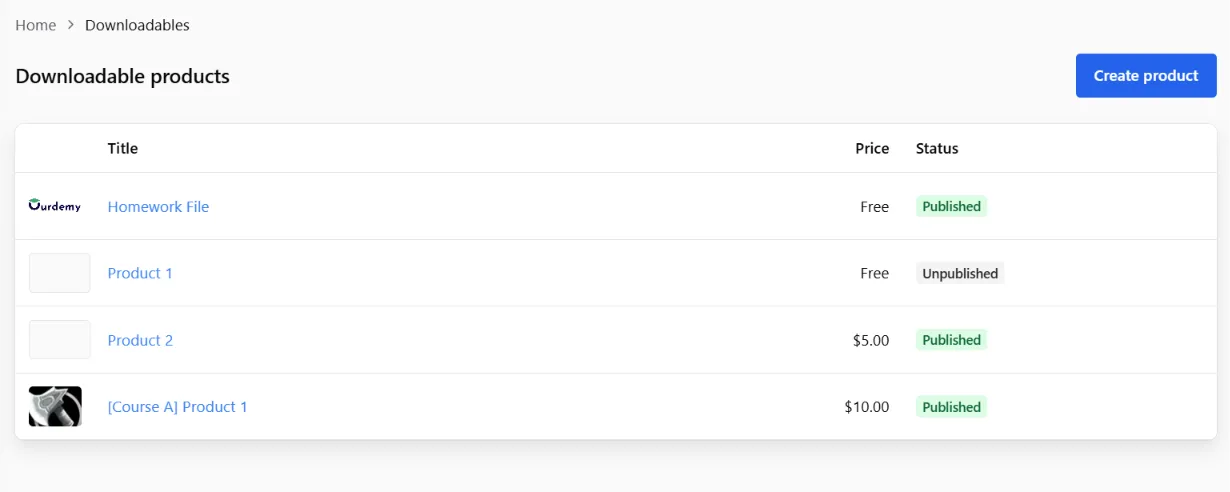
Go to the Downloadables section from the admin dashboard to access the downloadable product management page.
2
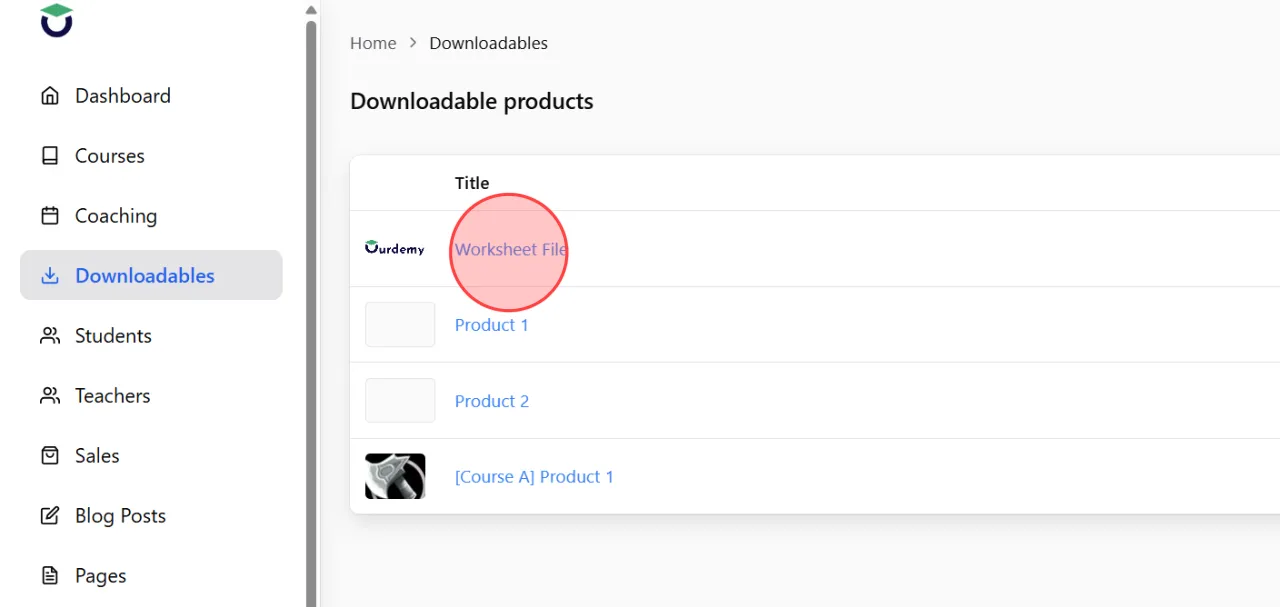
From the product list, select the downloadable product you want to edit or update.
3
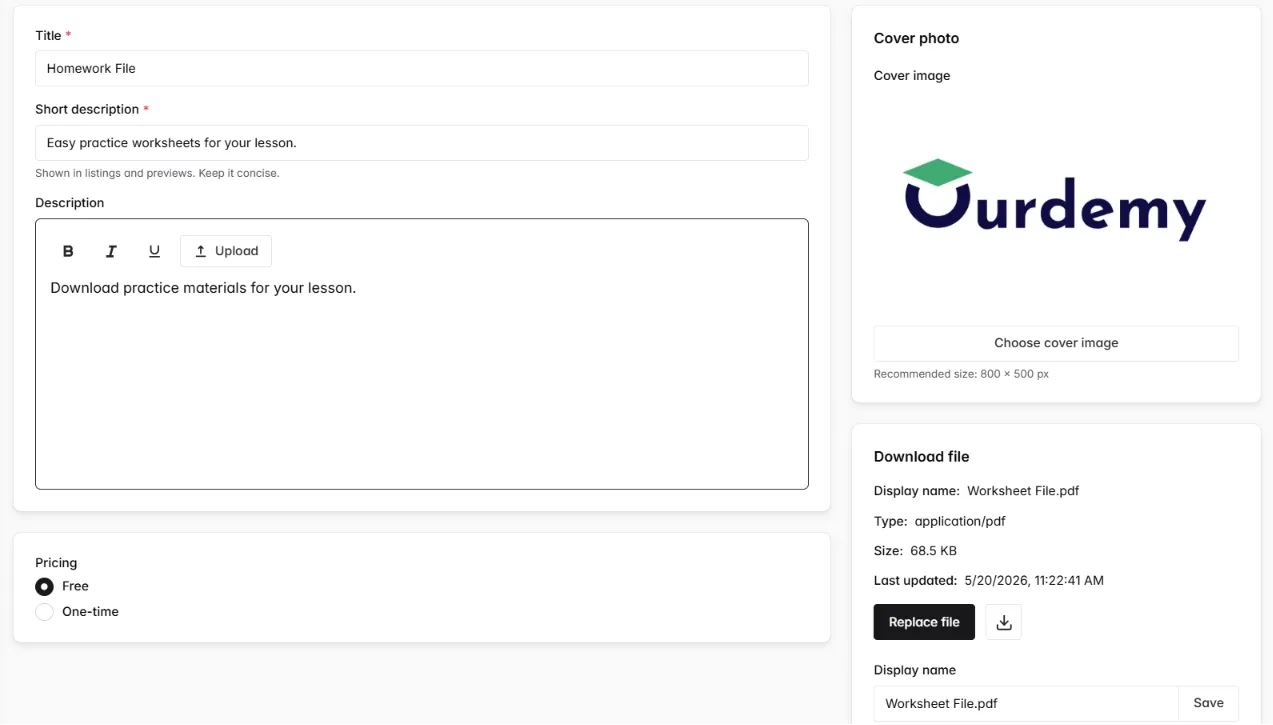
To edit any content, click the corresponding field and update the information directly, similar to the process used when creating the product initially.
4
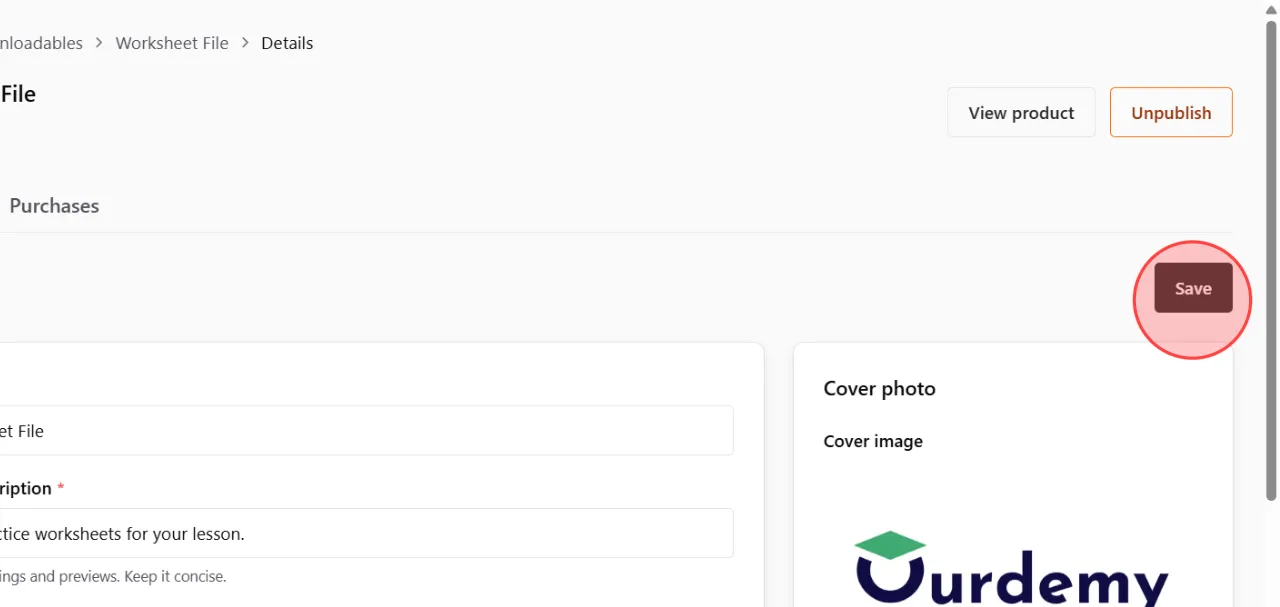
Review all updated product information carefully, then click the Save button again to save all changes.
5
Return to the product list page to confirm that the updated product information and file details are displayed correctly.
 English
  日本語
日本語