
When Good Content Is Dragged Down by Poor Visual Quality
Many teachers who start creating online courses share the same experience:
Even though they prepare carefully, the final video result doesn’t meet expectations.
In reality, poor image quality rarely comes from not having expensive equipment.
Most problems come from very basic mistakes during the recording process — and nearly all of them can be improved immediately.
This article will help you:
- Identify common mistakes that make lecture videos look low-quality
- Understand why these issues happen
- Learn simple fixes suitable for beginners in online course creation
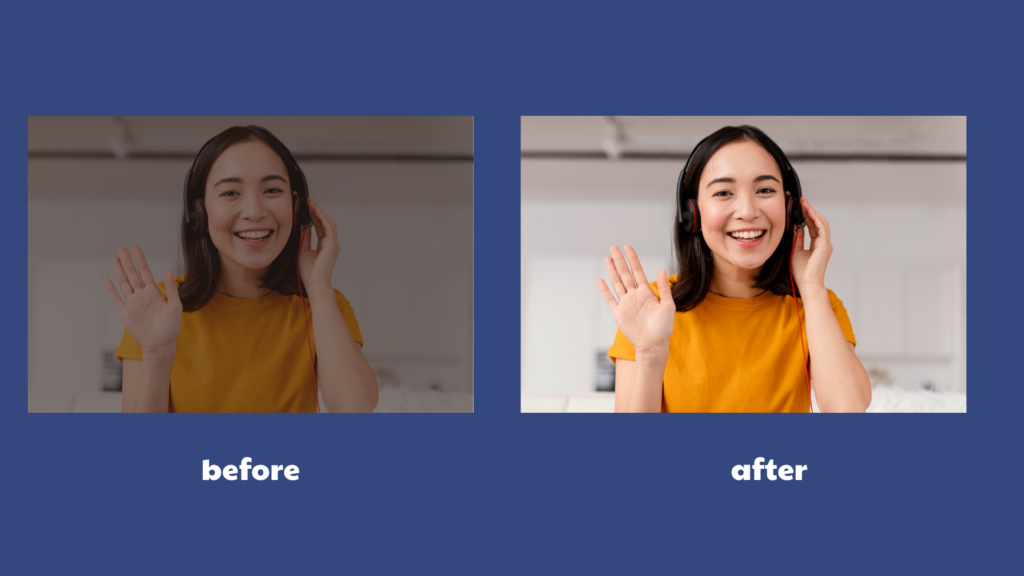
1. Using a Webcam or Camera Without Controlling Lighting
This is the most common mistake.
Many instructors record in their usual workspace, turn on the webcam, and start recording. The result:
- Dark face
- Grainy video
- A “tired” or dull appearance
Simple Fix:
- Place the light source in front of you, not behind
- Prioritize natural light (sit facing a window)
- Use a desk lamp or small ring light if needed — no professional lighting required
👉 With better lighting alone, your video quality can improve significantly — even with a basic webcam.
2. Incorrect Camera Position
Another common issue:
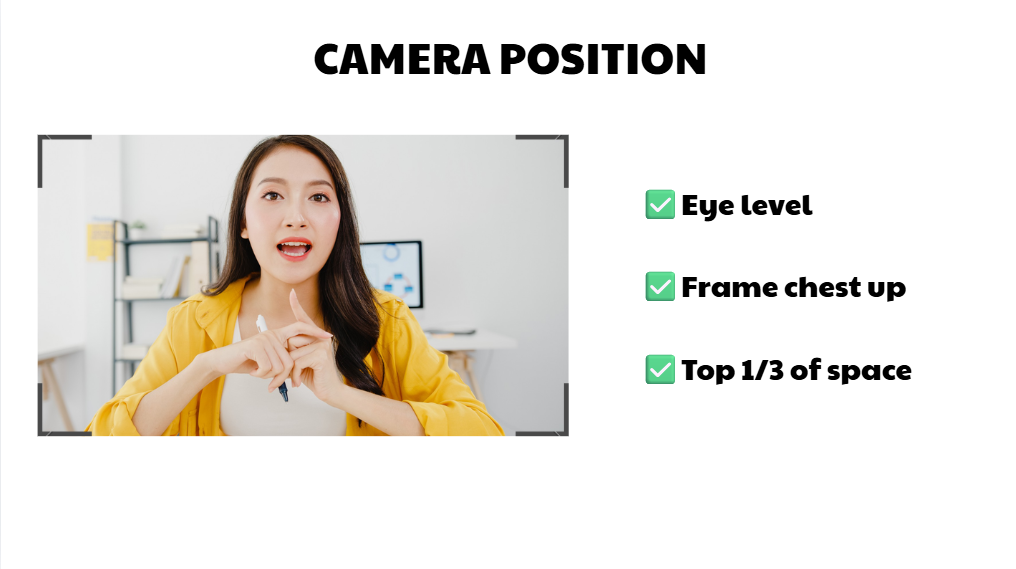
- Having a good camera but placing it too low, too high, or at an awkward angle
This causes:
- Unflattering facial distortion
- Unnatural posture
- An unprofessional look, even if the video is sharp
Simple Fix:
- Camera at eye level (or slightly above)
- Frame from chest up
- Eyes positioned around the upper third of the frame
You don’t need complex setups. Simply adjusting laptop height or using a proper tripod can make a big difference.
3. Screen Recording at the Wrong Resolution
For lessons involving:
- Slides
- Software demos
- On-screen problem solving
Many videos suffer from:
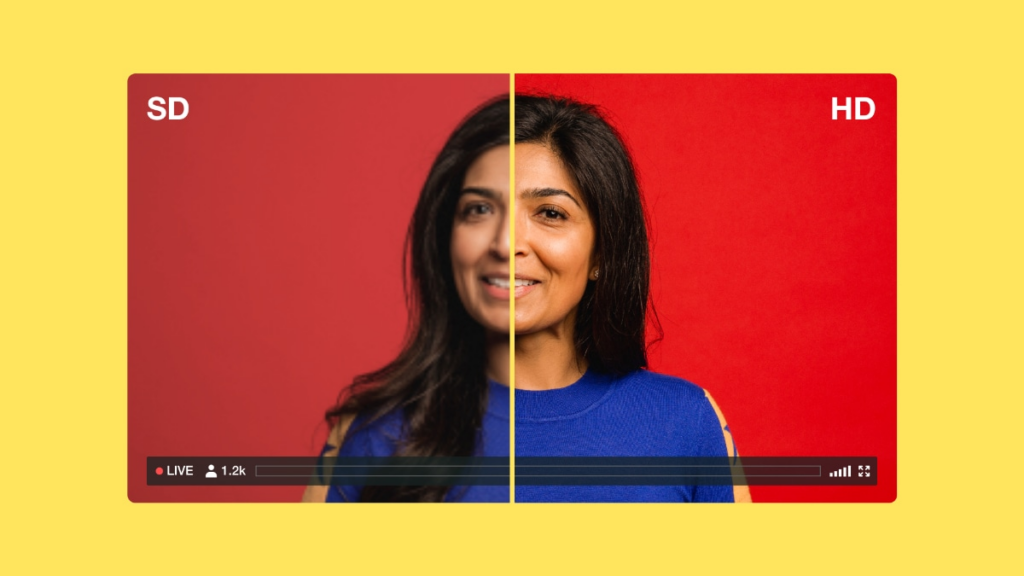
- Blurry text
- Pixelation when zoomed
- Difficulty reading on mobile devices
Common Causes:
- Recording at low resolution
- Exporting in the wrong aspect ratio
Simple Fix:
- Record at minimum Full HD (1920×1080)
- Use 16:9 aspect ratio
- Review the video before uploading to your learning platform
👉 Clear text helps students focus on the lesson instead of struggling to read.
4. A Distracting or Irrelevant Background
Some videos aren’t blurry — but still feel “low quality” because:
- The background is cluttered
- Colors are chaotic
- There’s movement that distracts viewers
Simple Fix:
- Choose a plain, minimal background
- Sit slightly away from the wall to create depth
- Use a light, neutral virtual background if recording online

5. Inconsistent Visual Style Across Course Videos
This is often overlooked.
For example:
- First video recorded during the day
- Next video recorded at night
- Some videos show the instructor, others don’t
When students watch the full course, they may feel:
- The experience is inconsistent
- Quality fluctuates
Simple Fix:
- Choose one consistent recording format for the entire course
- Keep consistent:
- Camera angle
- Lighting
- Framing layout
👉 Consistency makes your course look more professional and cohesive.
6. Exporting Video with the Wrong Settings
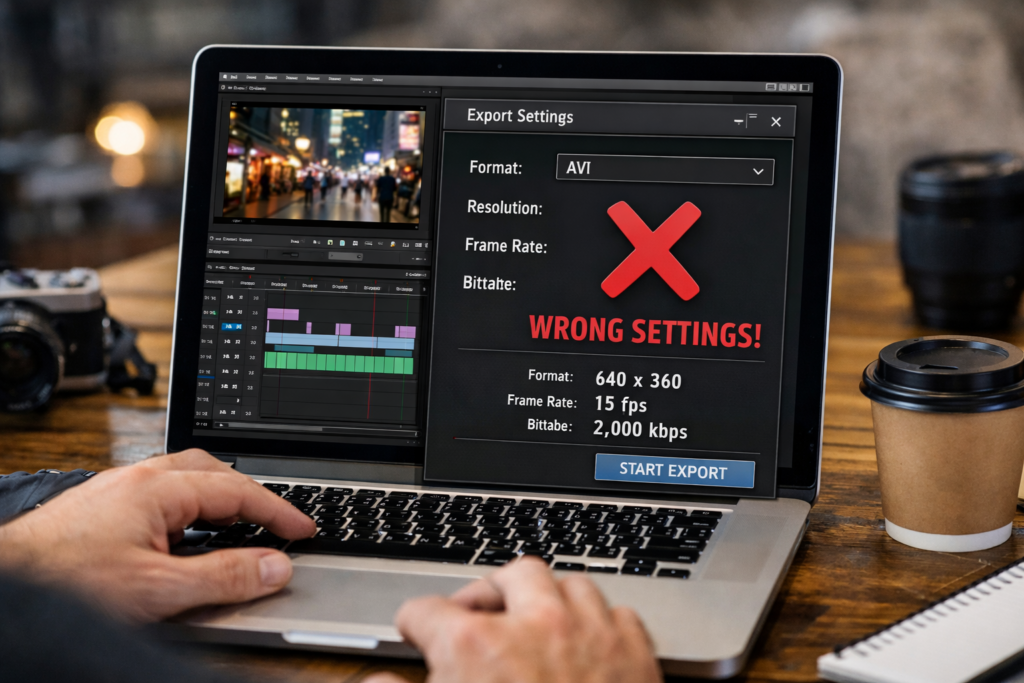
Sometimes the recording is fine, but after exporting:
- Colors look washed out
- File size is too large or too small
- Quality drops after uploading
Common Causes:
- Incorrect export preset
- Over-compression
Simple Fix:
- Resolution: Full HD
- Aspect ratio: 16:9
- Avoid excessive compression, especially for long lecture videos
Where Should You Fix First If You’re Not Tech-Savvy?
Here’s the priority order for improving video quality:
| Issue | Impact on Learning Experience | Priority |
|---|---|---|
| Poor lighting | Eye strain, reduced focus | Very High |
| Blurry text | Students can’t follow | Very High |
| Incorrect camera angle | Reduces professionalism | High |
| Cluttered background | Causes distraction | Medium |
| Inconsistent style | Feels fragmented | Medium |
| Wrong export settings | Overall quality reduction | Medium |
When Is the Video “Good Enough” for an Online Course?
A common misconception is:
“Lecture videos must look like studio productions to sell.”
In reality, you don’t need:
- Expensive cameras
- Complex setups
- Professional effects
You only need:
- Good lighting
- Clean framing
- Clear text
- Consistent visuals
👉 That’s enough for students to focus on learning rather than being distracted by visuals.
Conclusion: Poor Video Quality Is Rarely About Equipment — It’s About Optimization
You don’t need heavy investment to produce quality lecture videos.
When building an online course, video isn’t just content — it’s part of the learning experience.
By correcting a few fundamental elements, your videos will become:
- Easier to watch
- More professional
- More engaging
👉 And most importantly: your carefully prepared content will be delivered clearly and effectively.
 English
  日本語
日本語